ERPDecision guide
ERP for production and service jobs: what to check before you choose
For a business that makes things or carries out jobs, an ERP is judged on the shop floor, not in the demo. The question is whether a work order, the materials it consumes and the hours spent on it end up in stock, costs and the invoice without someone retyping them. The checks below help you compare options against the way your work actually runs, whether you produce to order, keep finished goods in stock or send technicians to customer sites.
Start from how work is triggered
Make-to-order, make-to-stock and service jobs need different starting points. In make-to-order, a confirmed sales order creates the work order and reserves materials. In make-to-stock, a production plan or a minimum stock level does it. In service work, a job is opened from a customer request or a maintenance contract and the materials go out with the technician.
Many small businesses do all three. Ask to see each one end to end, from the trigger to the invoice or the stock receipt, using one of your own products. If a demo only shows a finished dashboard, you have not yet seen the part that will take your team’s time.
Bills of materials that survive real change
A bill of materials lists the components, quantities and operations needed to make one unit. In practice it changes: a supplier substitutes a component, a design is revised, a customer asks for a variant. The system should keep versions, show which version a work order used and let you set a new default without rewriting history.
Check how units are handled. Raw material bought by the kilogram and consumed by the gram, or bought by the roll and cut by the metre, causes most stock differences in small workshops. Also check whether expected waste can be recorded on the bill of materials, so actual consumption can be compared with a realistic target rather than a theoretical one.
Work orders, materials and time
A work order should show what to make, how many, by when, with which materials and through which operations. As the work progresses, materials are issued from the warehouse, operations are marked complete and the finished quantity is received into stock. Each of these is a stock movement with a date and a person attached.
Time is often the weakest link. Operators and technicians record hours on job cards or timesheets, ideally from a phone or a shared tablet at the workstation rather than on paper collected at the end of the week. Those hours feed both the job cost and, through HR, the attendance records, so the same time is not entered twice.
Batches, serials and the traceability you actually need
Decide which items need batch numbers, which need serial numbers and which need neither. Anything with an expiry date or a controlled composition usually needs batches. Equipment that is installed, warrantied or serviced usually needs serials. Tracking everything adds work at every receipt and issue without adding value.
Then test the question you will one day be asked: which customers received products made with this batch of raw material? The answer should come from the system in a few clicks, from receipt through work order to delivery.
Machine and sensor data: connect it when it answers a question
Counters, temperatures, energy use and machine states can flow from equipment into the ERP. This is worth doing when it removes manual entry or answers a real question, such as produced quantity per shift, a storage area staying within its temperature range, or how many hours a machine has run since its last service.
Start with one signal and one decision it supports. Raw readings stay in the monitoring layer; the ERP receives what matters for the record, such as a quantity, an alert or a reading attached to a batch. Maintenance intervals can then open service jobs automatically for the equipment in your fixed asset register.
Costing, accounting and fixed assets
Production cost combines materials actually issued, labour hours and an agreed overhead rate. The ERP should show the planned and actual cost of each work order side by side, and post the stock valuation to accounting without a manual journal. Machines and tools belong in the fixed asset register, with depreciation schedules your accountant has agreed, so their cost appears in the right period.
Decision checklist for the demo
Bring one real product and one real job to every vendor conversation, and ask to see these points with your data rather than a sample company.
| Check | Why it matters | Ask to see |
|---|---|---|
| Bill of materials versions | Products change and old orders must stay accurate | A revised component and a work order on the old version |
| Unit conversions | Main source of stock differences | Bought in kilograms, consumed in grams |
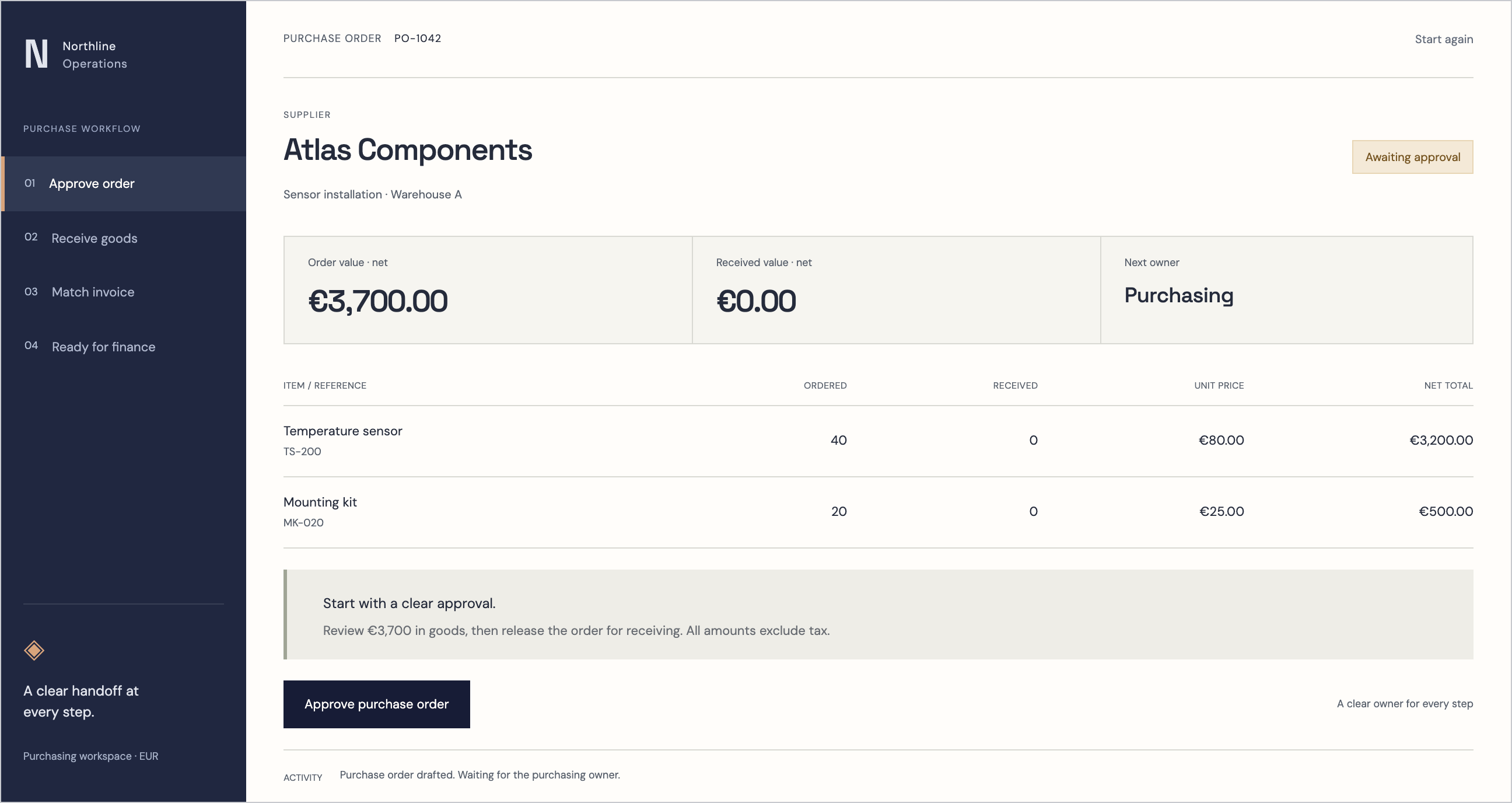
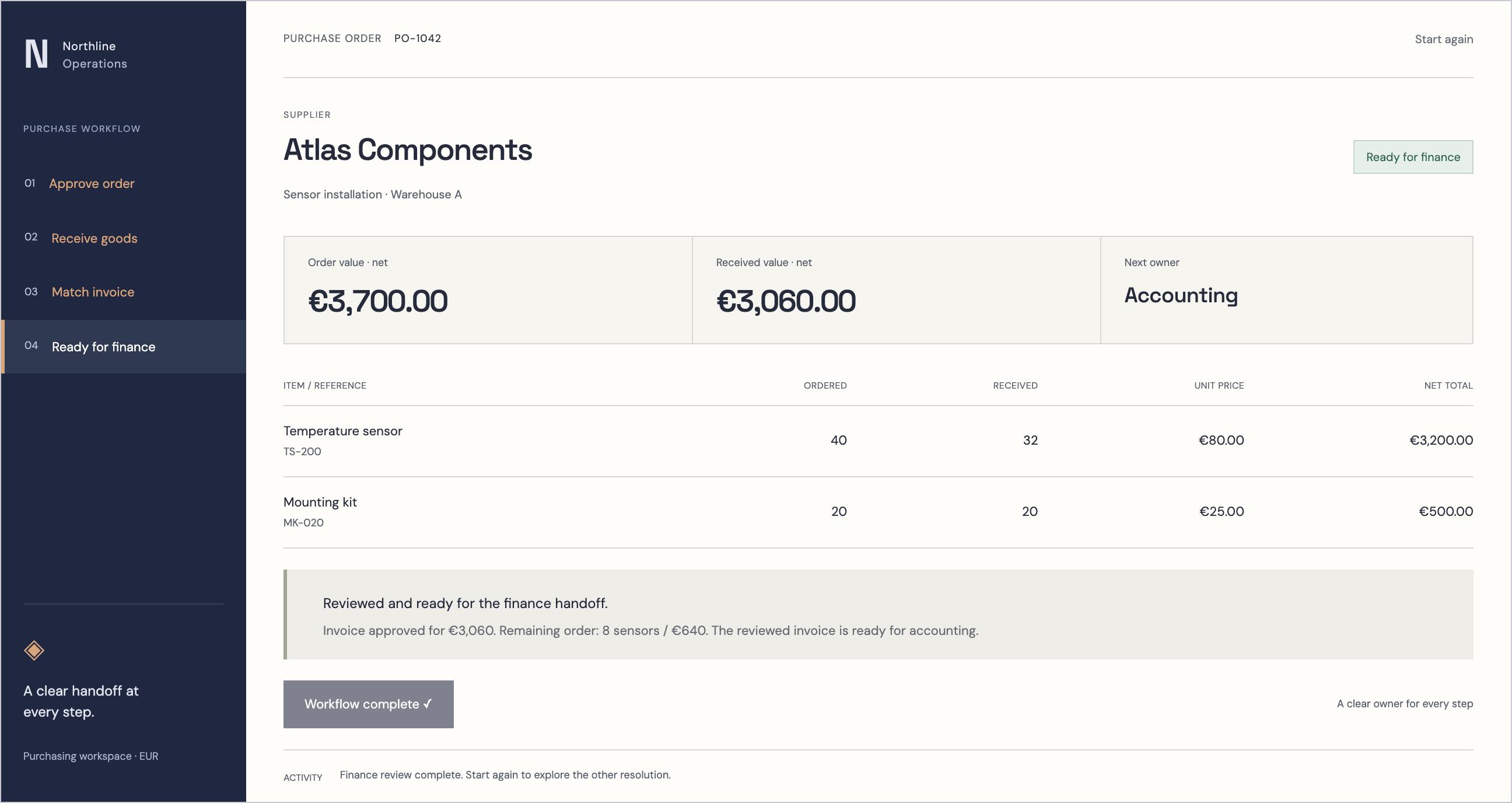
| Work order to stock | Finished goods must appear without retyping | Issue, complete and receive one work order |
| Time capture | Labour cost and attendance from one entry | Hours logged from a phone against a job |
| Traceability | Recalls and complaints need fast answers | Batch from receipt to customer delivery |
| Costing | Margins per product and per job | Planned versus actual cost on a closed order |
| Accounting link | No manual journals at month end | Stock valuation posted for the period |
How RDCopilot runs it
RDCopilot ERP covers bills of materials, work orders, job cards and timesheets, stock across several warehouses with batch and serial tracking, and a fixed asset register with depreciation schedules. Orders can start from won opportunities in RDCopilot CRM, invoices go out through RDCopilot e-Factura and entries reach accounting with the work order attached. Our mobile apps give operators and technicians a simple screen for materials and hours, our IoT monitoring service brings machine and sensor readings into the same records, and process training for new staff can be delivered through RDCopilot eLearning.
You pay a one-off implementation fee for configuration, data migration and training, then a monthly subscription that covers EU hosting, updates and support. Extra work, such as a new machine integration, is billed at a fixed hourly rate. Send us one bill of materials and a recent work order, and we will show you how they would run in your setup.
Inside the product
ERP
Follow the references
Sources & inspiration
InventoriX
Devpost project by Muskan Shrestha, Rohit Paudel and Subid
Independent project that monitors stock levels automatically and triggers reordering below a threshold; inspiration for connecting sensor data to stock records.
This independently created project is credited as inspiration. The workflow and implementation guidance in this article are RDC’s analysis.
Put the guide to work
Start with your workflow.
Tell us what your team needs to do, which systems are involved and where the current process slows down.