WarehouseWorkflow
What a picker should do when the shelf is empty
An empty shelf should lead to a controlled picking exception, not an improvised change to the customer’s order. The picker needs a quick way to record what was found and continue safely, while a supervisor decides how to resolve the shortage. Connecting that decision to stock and order records protects both the delivery promise and the accuracy of the warehouse history.
Preserve the original picking instruction
Show the picker the expected item, variant, location, quantity and order reference. When the shelf is empty, retain that instruction as it was issued. It provides the starting point for understanding whether the problem came from the stock record, the location, an earlier movement or the allocation rule.
Let the picker report the observed quantity without rewriting the requested quantity. If three units were requested and only one is found, the system needs both facts. Record the time and the location checked, together with a concise reason when the situation is clearer than a simple shortage. This gives the supervisor evidence to work with and avoids turning every investigation into a phone call asking the picker to reconstruct the event.
Make the exception action quick on the device
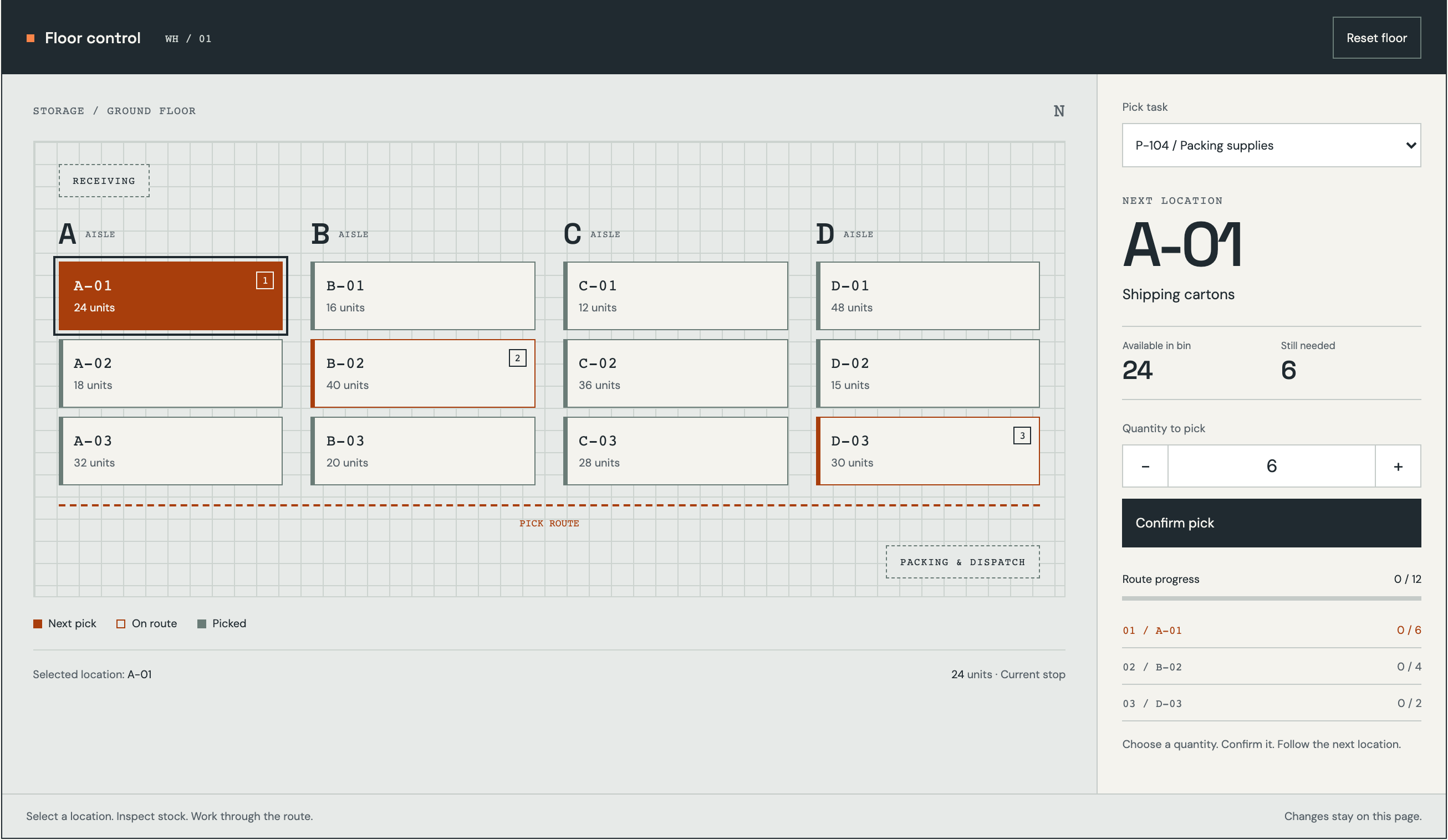
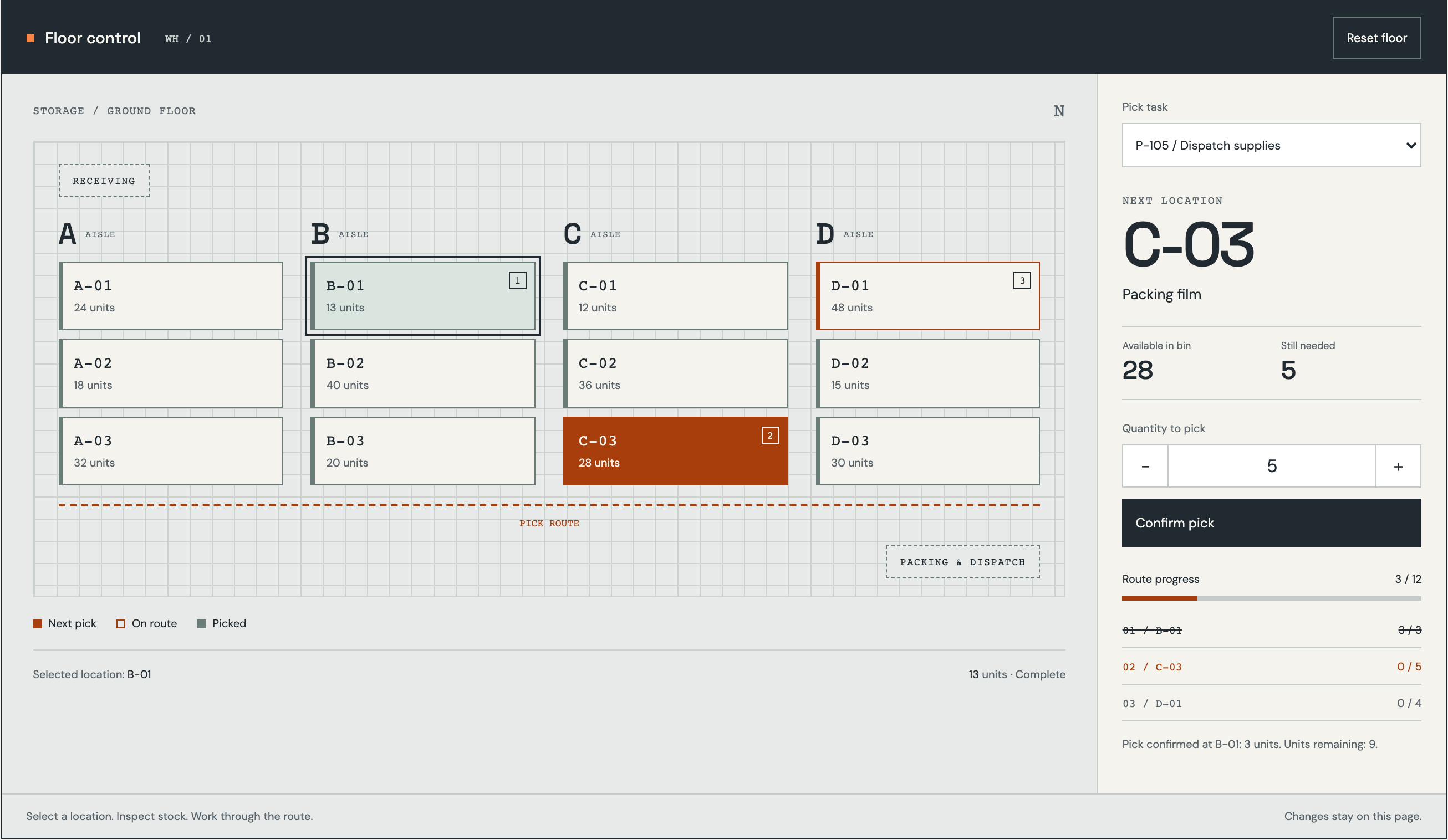
A floor worker should not need to complete a long administrative form before reporting an empty location. Provide a clear shortage action, show the quantity already picked and confirm what will happen to the remaining task. Use language that distinguishes saving the observation from approving a replacement or changing the order.
Agree whether the picker waits, continues with other lines or moves to another assigned task. The answer may depend on the order and the warehouse’s operating model. If work continues, keep the unresolved line visible to the supervisor and ensure it cannot disappear when the picking list is marked otherwise complete. Test the interaction while holding the actual device and moving through the aisle, not only at a workstation.
Send the problem to the person who can resolve it
A supervisor may be able to check another location, while an inventory controller investigates missing movements. Customer service may need to discuss a changed delivery promise. Define these roles so the first recipient can make progress rather than simply forwarding an alert to a larger group.
The exception view should combine the original instruction, the observed quantity, related stock information and any action already taken. Make it clear when another colleague is investigating the same case. Use a short decision checklist to prevent a replacement from being treated as a harmless adjustment when it changes the customer’s order or the stock allocation.
- Confirm the item and location the picker actually checked.
- Look for recent movements and other active reservations.
- Check whether another location can fulfil the original item.
- Identify who can approve a changed item or delivery commitment.
- Record the decision and issue a clear revised picking instruction.
Treat alternative locations and substitutions differently
Moving the same item from another valid location is a stock allocation decision. Replacing it with another product is a commercial decision that may affect specifications, price or customer expectations. Keep those paths distinct. A similar description or packaging appearance is not enough to establish that the replacement meets the order.
When another location is selected, reserve the quantity there and release or adjust the earlier allocation through the agreed process. Preserve the connection to the exception. If a substitute is approved, record who approved it, the accepted item and any related commercial amendment. The picker should receive an explicit revised instruction, not infer permission from a note that mentions another product as a possibility.
Investigate the stock record without hiding the shortage
The supervisor’s immediate goal is to resolve the order, but the underlying discrepancy still needs attention. A mislocated item, an unrecorded transfer and a genuine physical shortage have different remedies. Keep the investigation connected to the original exception even if the customer’s order is fulfilled from elsewhere.
Do not let a stock correction silently erase the evidence that an incorrect picking instruction was issued. Record the reason, authorisation and supporting check for the correction. If a count is required, follow the company’s counting and review procedure. Repeated exceptions at the same location can then be investigated as an operational pattern rather than appearing as unrelated manual adjustments scattered through the inventory history.
Test recovery through to the completed order
Rehearse a completely empty location, a partial quantity, a misplaced item and an alternative that the customer has not approved. Include an absent supervisor and a device disconnecting after the exception was saved. At each point, staff should be able to identify the current owner, the accepted decision and the next instruction. The order must not appear fully picked while a required line remains unresolved.
Measure exceptions by reason and location, time to a usable decision, repeat investigations and incorrect completion signals. Keep these separate from overall picking speed so the team is not encouraged to hide problems. RDC can connect handheld screens, supervision, inventory investigation and order status in one workflow. Scope EU-hosted or company-managed operation around floor connectivity, device access, backups and support ownership. Bring picking instructions and several recent shortage cases; they reveal the decisions that the interface must support before another location or product is offered.
Inside the product
Warehouse
Follow the references
Sources & inspiration
AntWMS
Devpost project by Mohammad Rafaquat Alam
Independent inspiration for workflow design.
This independently created project is credited as inspiration. The workflow and implementation guidance in this article are RDC’s analysis.
Put the guide to work
Start with your workflow.
Tell us what your team needs to do, which systems are involved and where the current process slows down.