WarehouseHow-to guide
Design a barcode receiving flow around the warehouse floor
A barcode receiving flow should help the person at the dock answer three questions: what arrived, how much arrived and where it should go next. The scanner is only the input. The value comes from connecting the scan to the expected delivery, making discrepancies easy to record and giving the receiving team a clear confirmation that its work was saved.
Observe the receiving point before designing the screen
Walk the route from unloading to storage with the people who receive goods. Note where labels are visible, when packages are opened, which hands are occupied and where connectivity becomes unreliable. A workflow designed at a desk can fail simply because its first step asks for a reference that is only found inside the pallet wrapping.
Identify the devices and accessories already used, including scanners, handheld computers, gloves and printers. Test readable text, touch targets and feedback on the actual equipment. The receiver should know whether a scan was accepted without studying a small status icon. Keep the first version focused on one receiving route and a representative set of labels so the interface can be judged against real movements on the floor.
Connect the scan to an expected item
A scanned value may identify a product, package, location or delivery document. Decide which type is expected at each step and show the result in ordinary language. Display the product name, variant and unit alongside the identifier so the employee can spot an unexpected match before confirming a quantity.
Maintain the relationship between supplier codes and internal item codes explicitly. If a code is unknown, preserve the scanned value and route it for identification rather than encouraging the receiver to select the closest description. Multiple labels on one package also need a deliberate rule. The system should not change the active item merely because an unrelated carrier label happened to pass under the scanner during handling.
Make quantity entry fit the physical packaging
A scan does not necessarily mean one sellable unit. The code may represent a carton, a pack or an individual item. Show the unit being counted, the packaging conversion and the expected quantity. Let the operator correct an accidental repeat scan before confirmation, while keeping the accepted receipt traceable afterwards.
Separate expected quantity from received quantity. The screen should support a partial receipt without forcing the employee to pretend the full order has arrived. When several people receive the same delivery, define how their work combines and how duplicate confirmation is prevented. A short receiving checklist helps the team test whether the interface asks for the right information in the right order.
- Confirm the delivery or purchase reference before posting the receipt.
- Read back the matched item and its packaging unit.
- Enter or scan the quantity actually received.
- Record shortages, excess quantities or condition differences.
- Confirm the destination and wait for a saved receipt reference.
Give discrepancies an actionable route
A damaged package, an unexpected item and a quantity shortage require different follow-up. Offer a small set of reasons that reflects the warehouse’s work, with room for a concise explanation. Attach condition evidence when useful, and keep it linked to the receipt line rather than buried in a general message about the delivery.
Decide which discrepancies stop acceptance and which allow a partial receipt to continue. A supervisor may need to confirm an excess quantity or identify an unknown item, while purchasing may need to contact the supplier about a shortage. Show the receiver that the exception has an owner. The person at the dock should not need to remember an unresolved issue after moving on to the next vehicle.
Show what is saved when connectivity changes
Mobile receiving needs a clear distinction between an entry held on the device and a receipt accepted by the central system. If the design allows local capture, show pending entries and the conditions under which they can be submitted. Avoid a success signal that means only that the device stored a screen state while stock remains unchanged elsewhere.
When the connection returns, use stable references to recognise repeated submissions and surface conflicts for review. Test interruption immediately before and after central acceptance, because those moments produce different recovery questions. The operator should be able to find the receipt status without scanning the entire delivery again. Agree what work can continue during an outage and what must wait for a confirmed response from the inventory system.
Rehearse the whole shift handoff
Test ordinary labels, damaged labels, unknown codes, partial quantities and a device losing power. Include the end of a shift, when one employee leaves pending work for another. A supervisor should be able to see what was physically received, what was posted, which discrepancies remain and whether any goods are still awaiting a storage destination.
Measure corrections after receipt, unidentified scans, pending submissions and time spent finding exception owners. Compare like deliveries and record the causes of delays rather than assuming every delay is a scanning problem. RDC can design the mobile interface and connect it to inventory, purchasing and document records. Scope EU-hosted or company-managed operation with device management, access, network conditions, backups and support responsibilities. Bring the actual labels, handheld devices and receiving paperwork to the first workshop; they are essential inputs to a flow the warehouse can use with confidence.
Inside the product
Warehouse
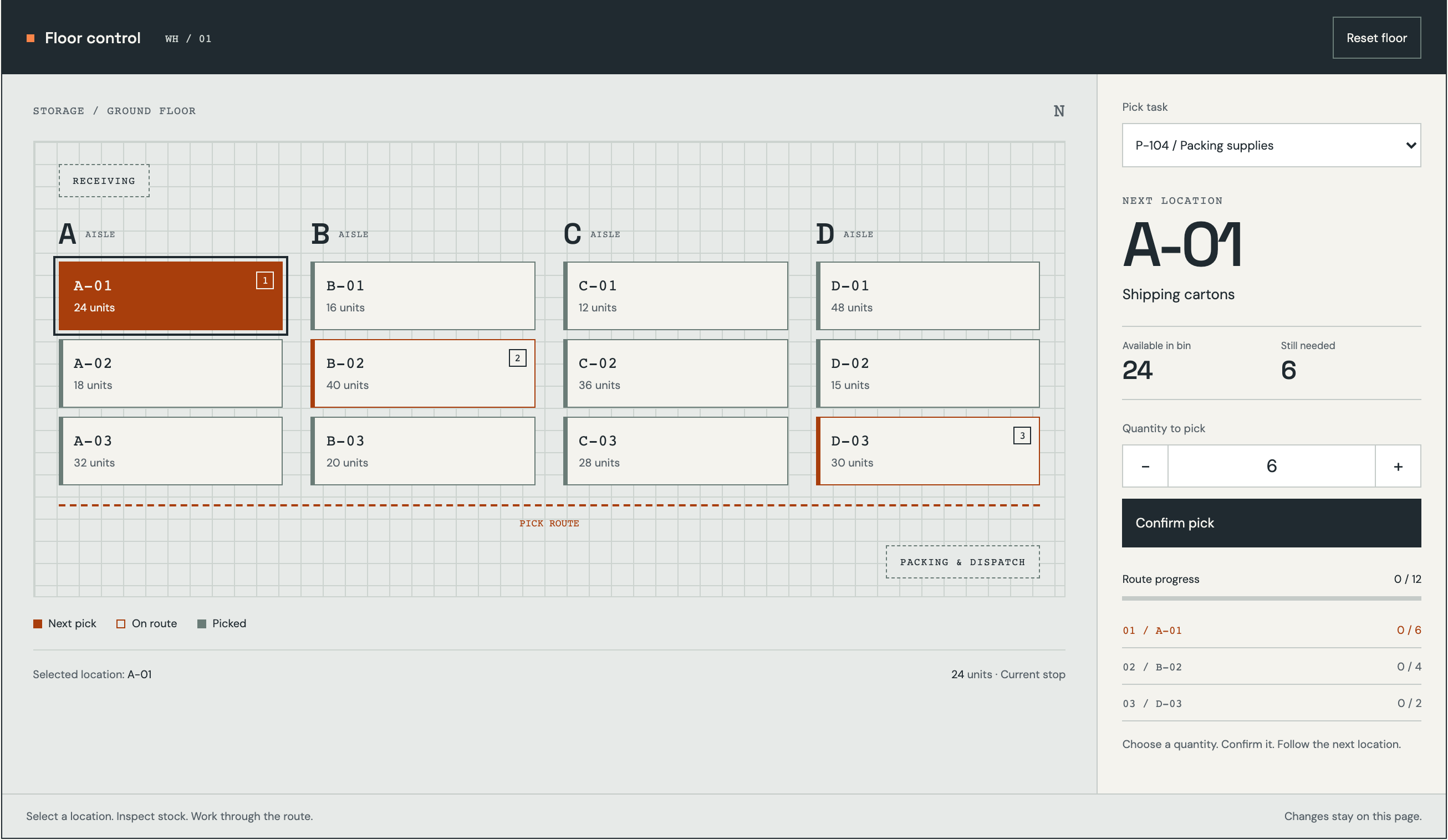
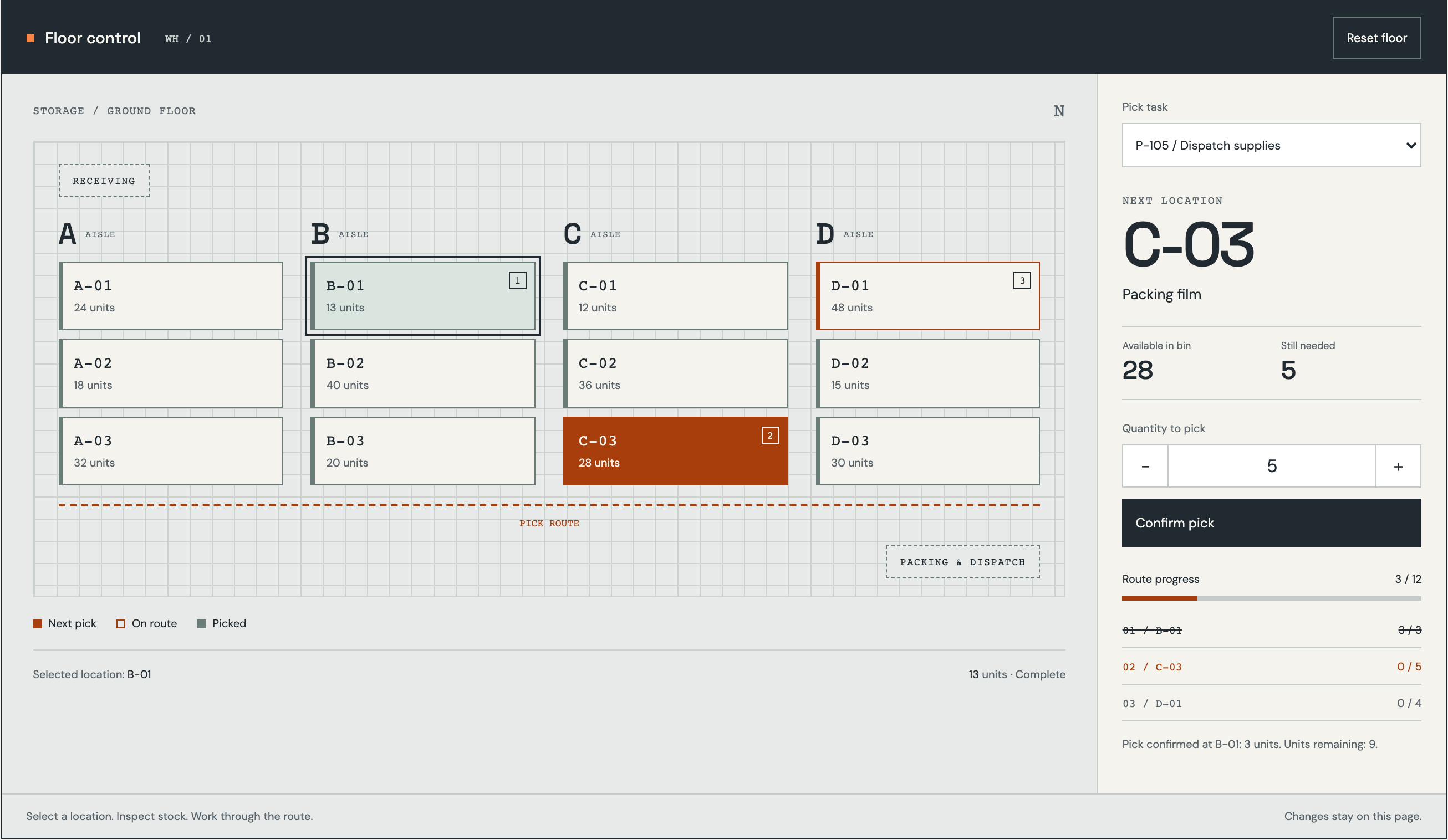
Follow the references
Sources & inspiration
LogiHub
Devpost project by ASHOK KUMAR PATUR
Independent inspiration for workflow design.
This independently created project is credited as inspiration. The workflow and implementation guidance in this article are RDC’s analysis.
Put the guide to work
Start with your workflow.
Tell us what your team needs to do, which systems are involved and where the current process slows down.