e-FacturaHow-to guide
Validate e-Factura data before it reaches the submission queue
An e-Factura validation workflow should help the person preparing an invoice find and correct problems before transmission. That requires a clear connection between business data, the generated document and the official validation result. A red error banner without that connection simply moves the investigation elsewhere.
Catch preparation errors where they can be corrected
Start with one invoice family and the data your current system supplies. Identify who controls customer records, item descriptions, quantities and tax-related fields. The authorized accounting specialist defines the relevant treatment. Engineering turns those decisions into checks and a reviewable preparation process.
Keep source values and generated fields together
Build a mapping from the source invoice to the required electronic structure. Record which fields are copied, calculated or selected from controlled values. Avoid storing only the generated XML: the reviewer also needs to understand which source record produced it.
A customer identifier can be present yet wrong for the intended party. A quantity can be numeric yet use an inappropriate unit. Separate structural validation from business checks and show both results. The official specification is the reference for supported structure; your organization's approved rules govern its preparation and review.
Version the rules used for validation
Use the current official ANAF and Ministry of Finance documentation when selecting schemas and supported interfaces. Record the rule and mapping versions used for each prepared document. A validation result is meaningful only in relation to the exact content and checks that produced it.
When rules change, test representative invoices before updating the production workflow. Determine whether previously prepared but unsent documents need another check. Do not silently replace the result attached to an older version. A reviewer should see that a document passed an earlier configuration and is now awaiting the newly required review.
Make errors actionable for the right owner
Translate technical locations into recognizable fields where possible, while preserving the original response. Show the affected invoice, field, current value and source reference. A missing customer identifier belongs with the customer-data owner; an uncertain tax classification belongs with the qualified specialist.
Group related errors without hiding individual issues. One missing upstream value can trigger several downstream messages. Let the reviewer resolve the cause and rerun validation on a new version. Keep the previous result for history, and distinguish a manually approved business choice from a technical check that passed automatically.
Keep submission behind a clear boundary
A prepared invoice, a locally validated document and an official response are different records. Only the agreed authorized workflow should move a document into the submission queue. Editing approved values should invalidate the relevant preparation approval before another transmission is attempted.
ANAF's OAuth material describes authorized application access. The implementation must verify current access and supported operations for the taxpayer and application involved. Credentials belong in controlled configuration, not invoice notes or support messages. Give preparers, approvers and integration operators only the actions they need.
Evaluate failure cases as well as clean invoices
Use checked invoices covering the actual combinations in scope. Introduce a missing identifier, an inconsistent total, a wrong unit and a source record changed after approval. Confirm that each issue stops at the correct boundary and reaches the appropriate person.
Measure errors caught before submission, repeated errors from the same source field, time to resolution and documents waiting without an owner. Verify that rerunning a check does not create another business invoice. These measures show preparation quality without making a blanket claim that every fiscal requirement or invoice type is automatically covered.
Use a preparation decision table
The following cases help define what the validation screen should do with the source data. They are implementation decisions to agree with the accountant, not substitutes for the current official rules. Each test should preserve the generated document and the original response so a developer can reproduce the behavior.
Pay particular attention to changes after approval. The workflow needs to identify which checks depend on the changed value. Repeating everything without explanation wastes review time; preserving every earlier approval despite changed inputs is equally unhelpful.
| Situation | Evidence to inspect | Decision or next action |
|---|---|---|
| Customer identity is missing | The invoice source, customer master record and field mapping show whether the information is absent or lost during transformation. | Return the task to the data owner and regenerate the candidate only after the approved source is corrected. |
| Totals do not reconcile | Inspect line quantities, prices, adjustments and generated totals together, keeping the original values available beside the calculated result. | Have finance identify the cause; rerun dependent checks without treating a manually changed total as sufficient evidence. |
| A unit is not accepted | Compare the source unit, mapping rule and official validation response for the exact generated document version. | Ask the responsible specialist to approve the mapping change and test other items using that same source unit. |
| The source changes after review | The approved input snapshot differs from the current invoice values in fields used by preparation or validation. | Create a new candidate version and show which earlier decisions need review before the document can proceed. |
| Validation cannot be completed | The technical error identifies a failed check or unavailable component without establishing a valid or invalid invoice outcome. | Keep the document pending, assign the technical issue and resume checking without creating another business invoice. |
| An old prepared version remains queued | The queued content and rule version differ from the current approved preparation after a correction or configuration change. | Stop the stale handoff and require an explicit decision about the correct version to submit through the authorized route. |
Scope validation with the accounting team
RDC can build source mapping, document generation, validation results and the review queue around your ERP or invoicing system. The initial scope should name document types, authorized interfaces and specialist-approved rules.
Bring redacted invoice examples and representative error responses. We can define acceptance tests that prove where an error appears, who resolves it and what evidence remains after correction. The quote then covers a concrete preparation workflow, with additional document families and official-interface changes evaluated explicitly.
Inside the product
e-Factura
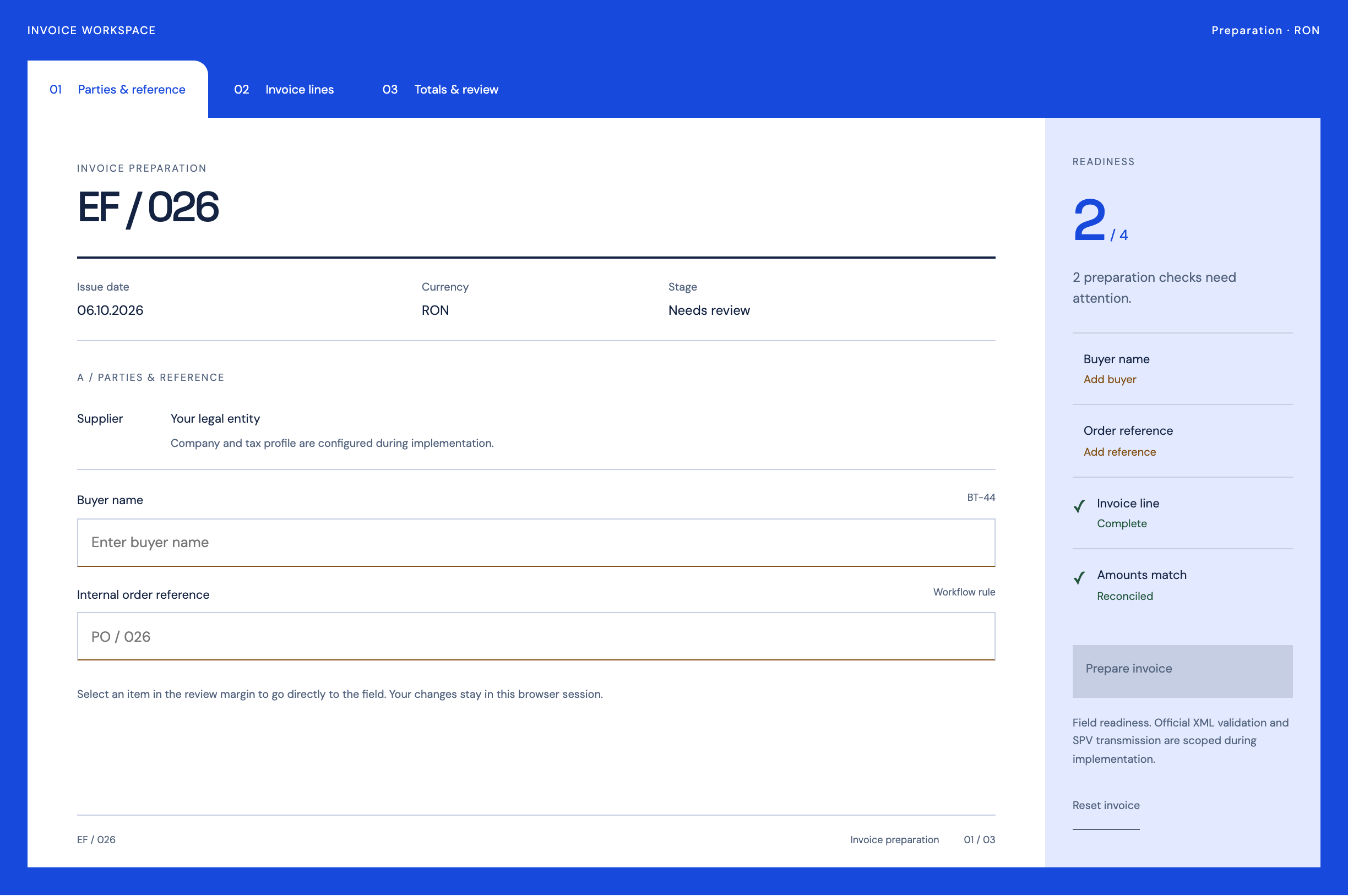
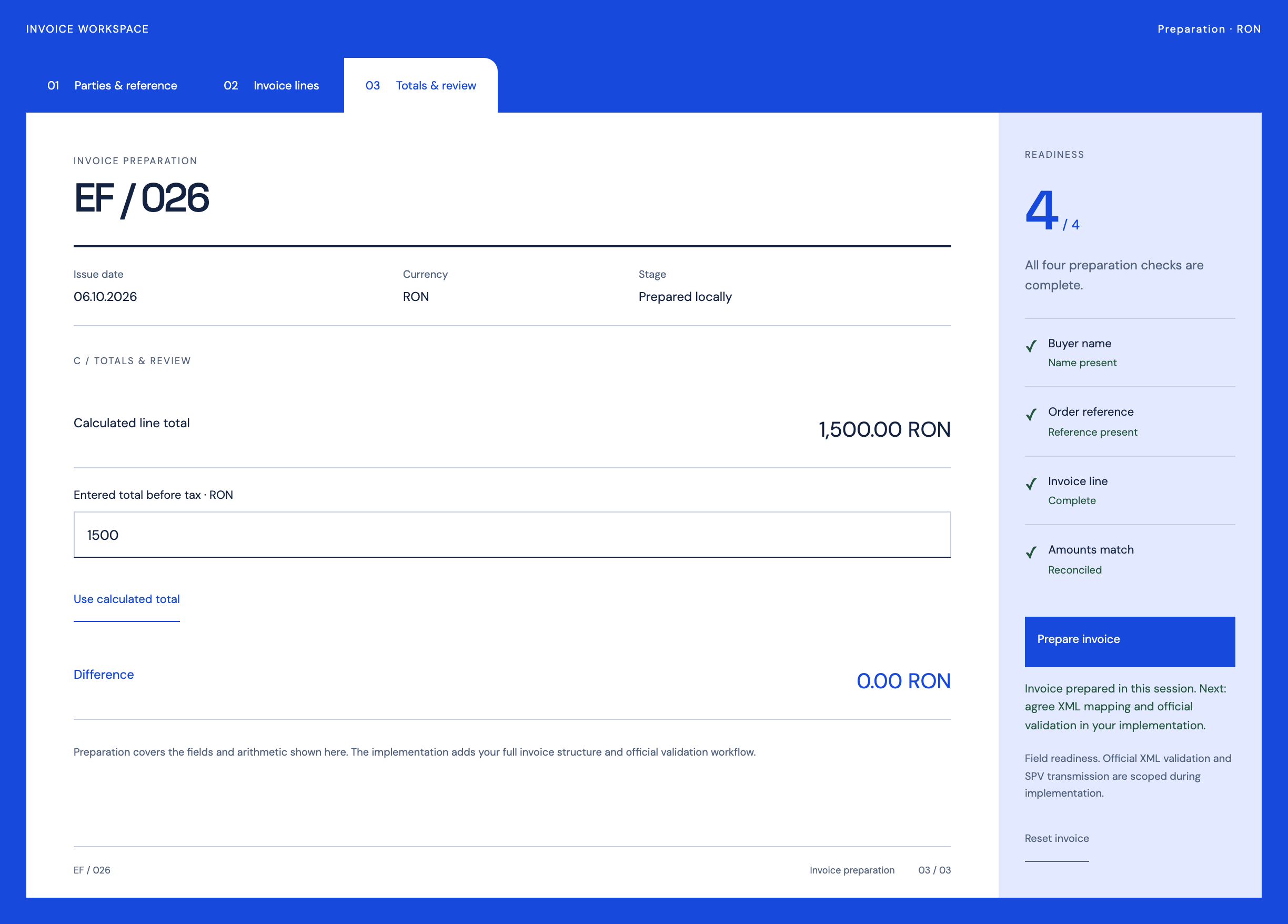
Follow the references
Sources & inspiration
InvoiceFlow AI
Devpost project by Coolieo Bowley
Invoice checks and approval routing.
This independently created project is credited as inspiration. The workflow and implementation guidance in this article are RDC’s analysis.
Put the guide to work
Start with your workflow.
Tell us what your team needs to do, which systems are involved and where the current process slows down.