DeclarationsDecision guide
Build fiscal declaration checks around the actual form
Fiscal declaration preparation becomes manageable when the first scope names a form, a version and the source data it requires. A generic upload screen cannot express every form's meaning. Start with the declaration your team prepares repeatedly and the errors its reviewer actually encounters.
Choose one form before designing the automation
The authorized specialist determines applicability and fiscal treatment using current official instructions. The engineering task is to make those agreed inputs, checks and approvals dependable. That distinction helps an SME automate preparation without assuming that software has resolved every tax question.
Map source information to the form
For each field or group, identify the source system, business meaning and responsible person. Mark copied values, calculated values and specialist choices separately. A spreadsheet column can look suitable while referring to a different period or population.
Keep the source snapshot used for preparation. If the accounting export changes later, the team must still be able to reproduce the version it reviewed. Preserve the mapping configuration alongside the prepared document so a discrepancy can be investigated without reconstructing an old environment.
Treat form versions as controlled changes
Obtain the relevant current official form and validation instructions through ANAF. Record the version used in the preparation workflow. When a new version is adopted, compare required fields and accepted values before allowing routine processing.
A version update needs a focused regression check using known cases. Identify prepared but unsent documents that may need another validation. Keep earlier results attached to their original document versions rather than replacing history with the latest validator's output.
Make validation results understandable
Separate missing data, inconsistent source values and official validation errors. Display the affected field, the originating record and the original technical message where available. The person correcting a source export needs a different task from the specialist deciding an interpretation.
Permit an explicit unresolved state. A reviewer may need clarification before continuing, and that pause should be visible to the preparation owner. Record the eventual decision and reason. A button acknowledging an error should not be confused with a successful validation or an authorized decision to proceed.
Protect preparation and submission roles
Preparing a file, reviewing it and submitting through an authorized channel are distinct actions. Assign permissions accordingly. Restrict access by taxpayer and prevent background jobs from relying on whichever company happens to be selected in a user's browser.
Keep signing and authorization material outside ordinary document storage. Support staff should have access to the error context they need without unnecessary personal or financial data. Review exported files and notification content alongside the main interface when checking permissions.
Rehearse a complete preparation cycle
Test a valid case, an omitted input group, a wrong period and a changed source after approval. Add a form-version change and verify that the workflow identifies records needing revalidation. Confirm that the specialist can reconstruct the source and decision behind each prepared field.
Measure errors by source, preparation rework and cases waiting for interpretation. Track the exact handoff boundary into authorized submission. These checks evaluate the chosen form workflow; additional declarations need their own mapping, instructions and acceptance cases.
Turn the form specification into testable checks
A form-specific test set should explain why each record is accepted or held. Keep the expected result and the specialist who confirmed it with the test case. This makes later mapping or validator changes easier to review without treating the previous implementation as the authority.
Use the following situations to separate data completeness from interpretation and technical validity. A preparation screen should tell users which kind of problem they are facing and what evidence is needed to proceed. That distinction is more useful than a single percentage labeled ready.
| Situation | Evidence to inspect | Decision or next action |
|---|---|---|
| A required input group is absent | The expected source population and import report identify which records should have contributed and what actually arrived. | Return the missing group to its owner rather than generating default values that make the prepared form appear complete. |
| A field uses another period | The source record carries a period or date basis different from the one selected for the declaration preparation. | Have the specialist confirm the appropriate mapping and preserve both the original source period and the approved interpretation. |
| A value requires fiscal judgment | The available source facts are present, but the intended form field depends on a choice outside deterministic mapping. | Create a specialist review task with supporting evidence; do not convert an AI suggestion into an approved fiscal decision. |
| The official form version changes | The recorded preparation version differs from the version the team has approved for the next authorized submission. | Run the agreed compatibility cases and identify unsent documents needing revalidation, while retaining earlier results against their original versions. |
| The source is edited after approval | The current export no longer matches the snapshot used to generate and approve the prepared document. | Create a new preparation version and require review of the affected fields before any subsequent authorized handoff. |
| The local check cannot finish | A technical failure prevents a validation stage from producing a result, even though some earlier checks passed. | Show incomplete validation explicitly, assign the failure and resume from a defined point without presenting the document as accepted. |
Ask for a form-specific implementation
RDC can build source mapping, preparation checks, version handling and the review interface for an agreed declaration. We connect supported sources and preserve the evidence needed by your authorized specialist.
Bring the current form instructions, redacted inputs and recurring validation messages. The proposal can specify the form versions, input contracts, access rules and acceptance checks. This produces a concrete piece of fiscal workflow automation that can be extended deliberately, with each new form evaluated on its own requirements.
Inside the product
Declarations
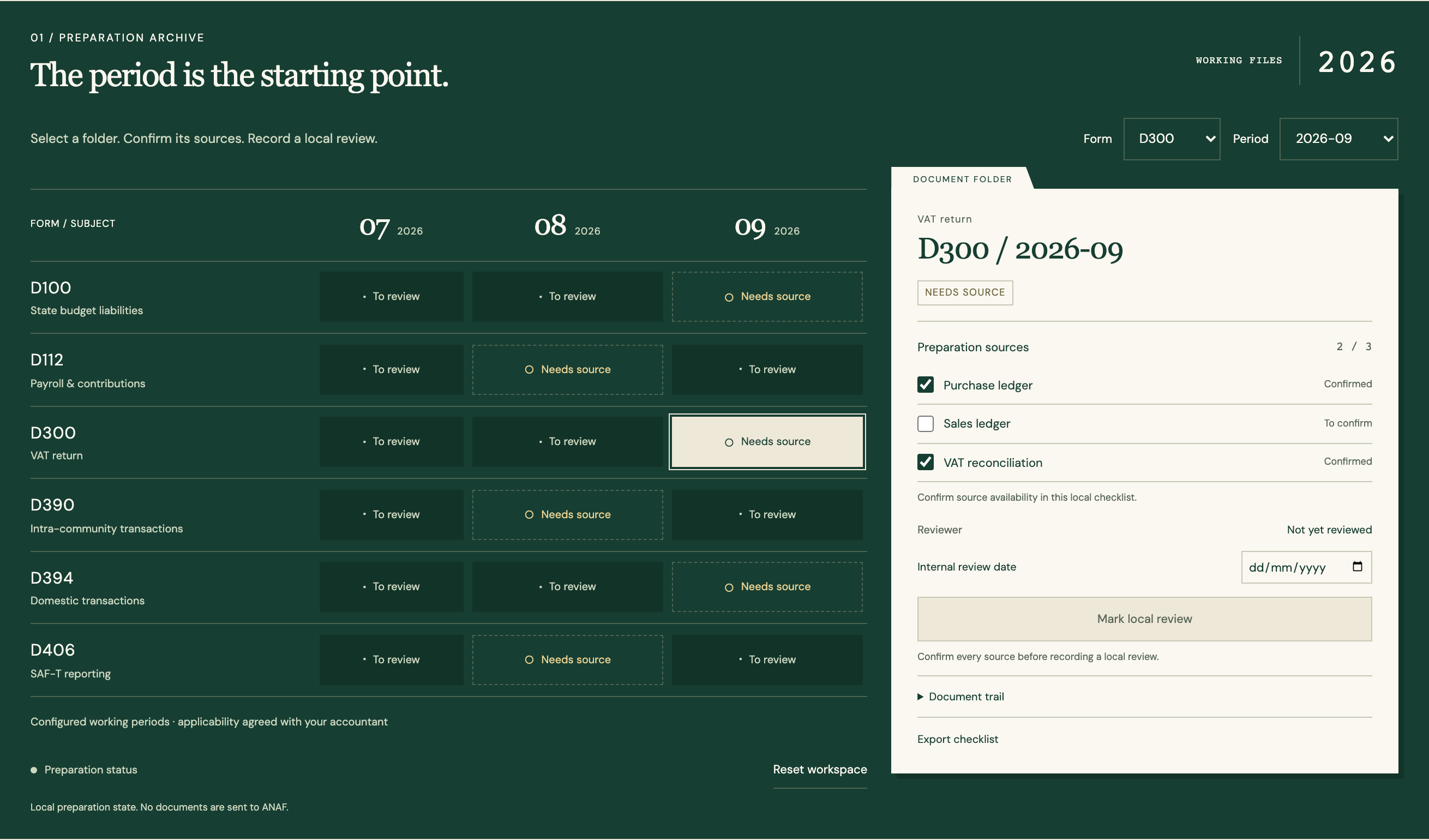
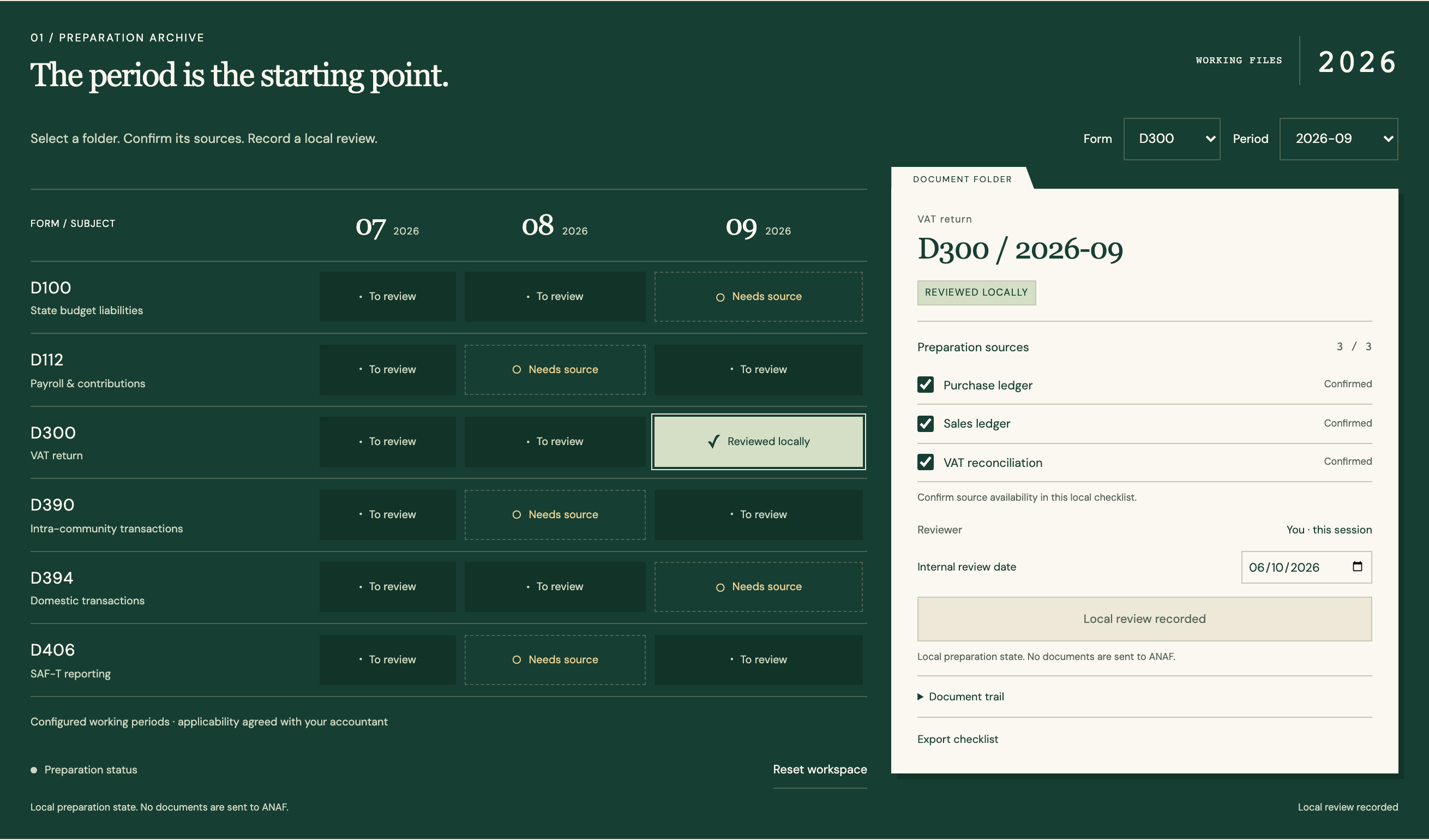
Follow the references
Sources & inspiration
ConsentDocs
Devpost project by ILoveBuns Ren
Extracted facts with human review.
This independently created project is credited as inspiration. The workflow and implementation guidance in this article are RDC’s analysis.
Put the guide to work
Start with your workflow.
Tell us what your team needs to do, which systems are involved and where the current process slows down.