REGESDecision guide
Map HR records to a REGES reporting workflow
An HR-to-REGES integration starts with understanding the employment change your team is preparing. Copying columns between systems is insufficient when the same label carries different meanings or when a change requires supporting review. Define the event, responsible specialist and current official procedure first.
Map the employment event before mapping fields
Choose one supported workflow, such as preparing a particular category of employee or contract change. The authorized HR specialist determines the appropriate reporting action. Engineering connects the source values, checks and evidence around that decision.
Describe the trigger in the source HR system and the business interpretation required before preparation begins. A correction of an incorrectly stored value is not automatically the same as a new effective change. The specialist should define that distinction. The integration can then preserve the event meaning instead of applying a field-mapping rule indiscriminately to every edit.
Identify employees, employers and contracts
Keep employer, employee and contract identifiers distinct. A person may have more than one relevant record, and an employer selection must remain explicit. Names help users recognize a record but should not be the only matching mechanism.
Build a mapping document that describes each field's source, meaning, required format and owner. Flag values that require specialist interpretation instead of direct copying. Preserve the original source reference so a reviewer can inspect why the proposed value appeared.
Prepare a field dictionary with examples of valid values, empty values and unresolved matches. Include the employer context in matching rules so similar employee names cannot create cross-company associations. Where a person has several contract records, require the contract identity relevant to the event. A confident name match is insufficient evidence for selecting the record that will be affected.
Verify the supported integration path
The official REGES employer guide describes technical settings, user and employer identifiers, external access credentials and data exports. Use current official documentation to verify which operations are supported for the intended implementation.
Do not assume an available export implies unrestricted write access. The discovery work should confirm authentication, authorization, expected data structures and how the outcome is checked. Record the version and scope of that interface agreement so later changes can be assessed deliberately.
Use an interface discovery record to capture supported operations, required authorization and the result-verification method. Confirm these against the current official environment before coding the write path. If an export supports comparison but not the intended update, scope preparation and specialist review around that limitation. This keeps the implementation commercially useful without claiming capabilities the available interface does not establish.
Create a reviewable change proposal
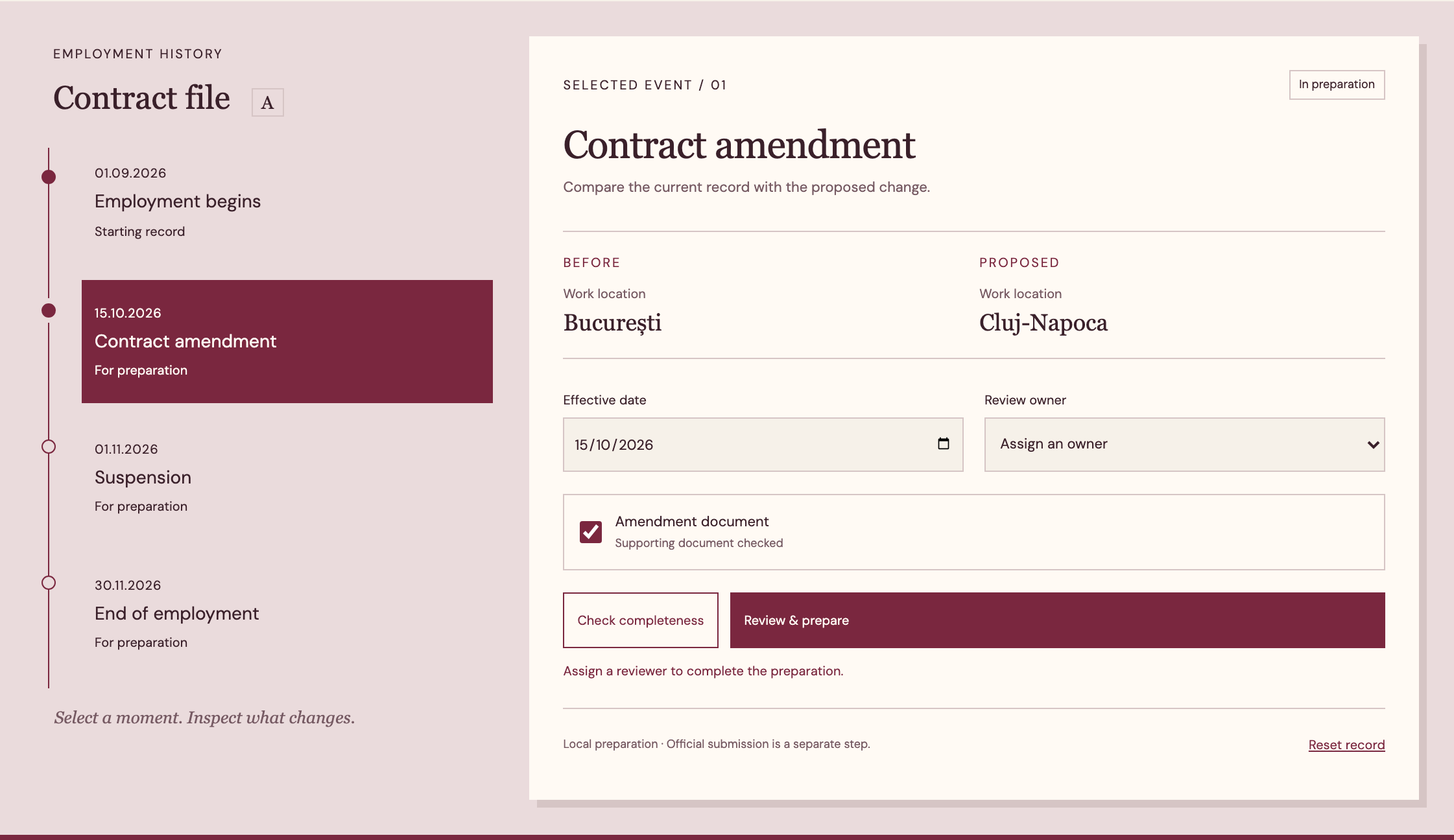
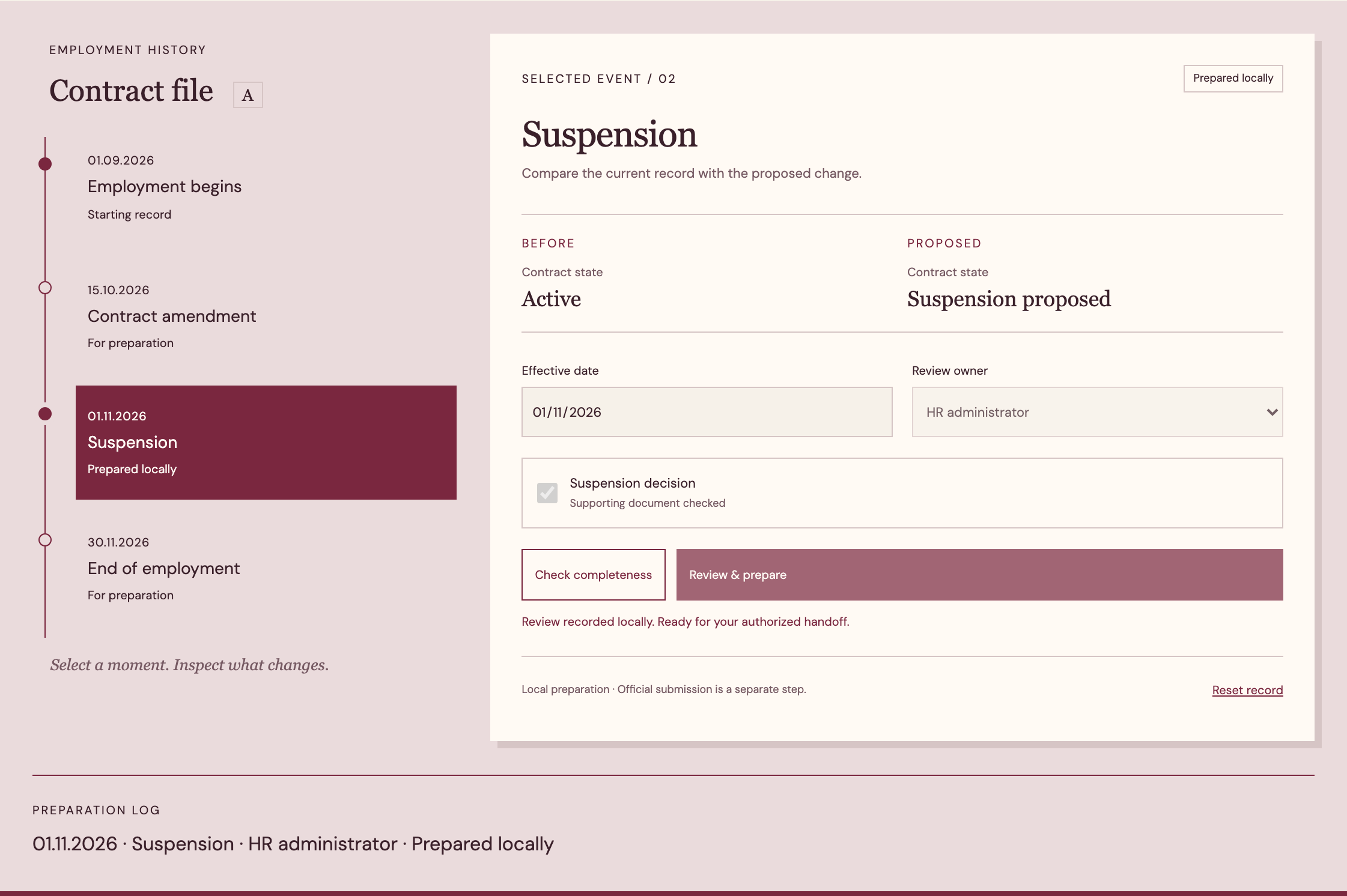
Show current and proposed values side by side, with the effective context and supporting reference. Distinguish a source-data correction from a new employment event. The reviewer needs to know what changed and why before authorizing the next step.
If the source changes while the proposal is awaiting approval, mark the version conflict. Avoid applying an earlier approval to different values. A rejected proposal remains in history with a reason, while the corrected proposal receives a new version linked to the same work item.
Store a reviewed proposal as an immutable version of the relevant fields, with links to its source evidence. If a mapping rule changes, identify pending proposals affected by that change before releasing them. The reviewer should see whether the difference comes from a source correction or a transformation change. Reapproval can then target meaningful changes rather than being triggered indiscriminately by every technical update.
Handle missing and inconsistent information
An unmatched contract, an absent supporting document and a value outside the accepted structure need different routes. Assign each issue to the person who can resolve it. Provide the relevant source record without exposing unrelated employee information.
Keep preparation, authorized action and confirmed outcome separate. A local validation success is useful evidence of preparation, not proof that the registry reflects the change. Preserve the response or other agreed evidence and attach it to the approved version.
Assign missing identifiers to the source-data owner and substantive interpretation to the HR specialist. Technical operators can resolve transport or structure problems without deciding employment meaning. Show the unresolved field and the consequence of leaving it unresolved. Avoid filling a required value with a convenient default merely to pass local validation; an explicit hold is more useful than a structurally valid but unsupported proposal.
Test access and reconciliation
Test ordinary HR users, an external specialist and a technical operator separately. Verify company boundaries in screens, exports and saved links. Credentials should never appear in the employee record or a general support log.
Rehearse a mismatched identifier, a changed source after approval and an uncertain outcome. Measure unresolved mappings, changes requiring repeated review and discrepancies between approved local values and confirmed registry evidence. These tests help assess the supported workflow without claiming coverage of every employment situation.
Use a test set with multiple employers, similar names, more than one contract and a source edit during approval. Compare the proposed mapping with a specialist-checked reference. Then inspect the confirmed outcome through the supported route. Measure wrong associations separately from missing mappings because they create different risks and review work. Keep negative cases that should be held rather than transformed automatically.
- Define the employment event and distinguish source correction from a new effective change before mapping fields.
- Match employer, employee and contract identities explicitly rather than selecting records by name alone.
- Show source and transformation changes separately and bind approval to the exact proposed version.
- Test missing identifiers and unsupported interpretations as deliberate holds, then verify the accepted outcome evidence.
Build a focused HR handoff
RDC can implement field mapping, change proposals, review tasks and outcome evidence around your HR system and the supported REGES interface. We define the first event with your authorized specialist.
Bring redacted source records and the current steps used to prepare and verify a change. The proposal can specify mappings, permissions and acceptance cases. That gives the team an integration whose data and decisions are inspectable, with additional event types added only after their requirements are checked.
The initial project can produce a mapping dictionary, a proposal screen and an evidence trail for one agreed event type. Request representative records with personal data removed where practical, while preserving the structures that make matching difficult. The quote should identify any source cleanup required and the owner of each interpretation decision. Additional event categories need their own accepted rules rather than inheriting every assumption from the first.
Inside the product
REGES
Follow the references
Sources & inspiration
ADP Payroll Innovation Bot
Devpost project by Eric Liu, Jiaxing Yan, Fan Yang
Payroll questions with issue escalation.
This independently created project is credited as inspiration. The workflow and implementation guidance in this article are RDC’s analysis.
Put the guide to work
Start with your workflow.
Tell us what your team needs to do, which systems are involved and where the current process slows down.