IoT monitoringWorkflow
From sensor alert to work order: connecting IoT monitoring to ERP and a mobile app
Sensor data earns its keep when someone acts on it at the right moment, and only then. Too many alerts and people mute the app. Too few and the first sign of trouble is a stopped line. We connect IoT monitoring to the systems a team already uses, so a reading becomes a clear notification for the person on duty, a repeated problem becomes a work order in the ERP, and the outcome shows up in the monthly reports without anyone retyping it.
Decide who acts on which alert
Before writing a single rule, list the people who can act and what each of them can actually do. A shift operator can check a door or restart a fan. A maintenance technician can replace a bearing. A quality manager decides whether a batch is held. An alert that reaches someone who cannot act on it trains people to ignore alerts. Group devices by area and asset, and map each group to an owner, a deputy and a working schedule, so night and weekend alerts go to whoever is on duty.
This mapping lives in the same user and role model as the rest of RDCopilot. When someone changes role or leaves, their alert duties change with their access, not in a separate spreadsheet.
Write rules that reflect the process, not just a number
A bare threshold fires on every spike. Useful rules add three things. Duration: the value must stay above the limit for a set time, such as five minutes, before the alert opens. Hysteresis: the alert closes only when the value falls back below a lower limit, so it does not flap on and off around the threshold. And context: a temperature that is normal during a cleaning cycle may be a fault during production, so rules can depend on schedule or equipment state read over OPC UA or Modbus.
Use levels. A warning tells the owner to look; an alarm asks for action now. OPC UA Part 9, Alarms and Conditions, is a good reference model for this: an alarm has a state, a severity, an acknowledgement and a confirmation, and those states are worth keeping even when the source is a simple wireless sensor.
Make the notification answer the first question
The first question on a phone is always whether this is serious. A good push card shows the asset and location, the current value with its unit, a colour and a text label for the level, a trend arrow and how long the condition has lasted. Tapping it opens a chart with quick ranges for 1 h, 24 h, 7 days and 30 days, the rule that fired and the recent history of the same alert.
The mobile app lets the person acknowledge, add a note or a photo and hand the alert over to a colleague. Push delivery uses the platform services on each system, Apple Push Notification service on iOS and Firebase Cloud Messaging on Android, with e-mail or SMS as a fallback for critical alarms. Every acknowledgement is recorded with the user and time.
Turn repeated alerts into a work order in ERP
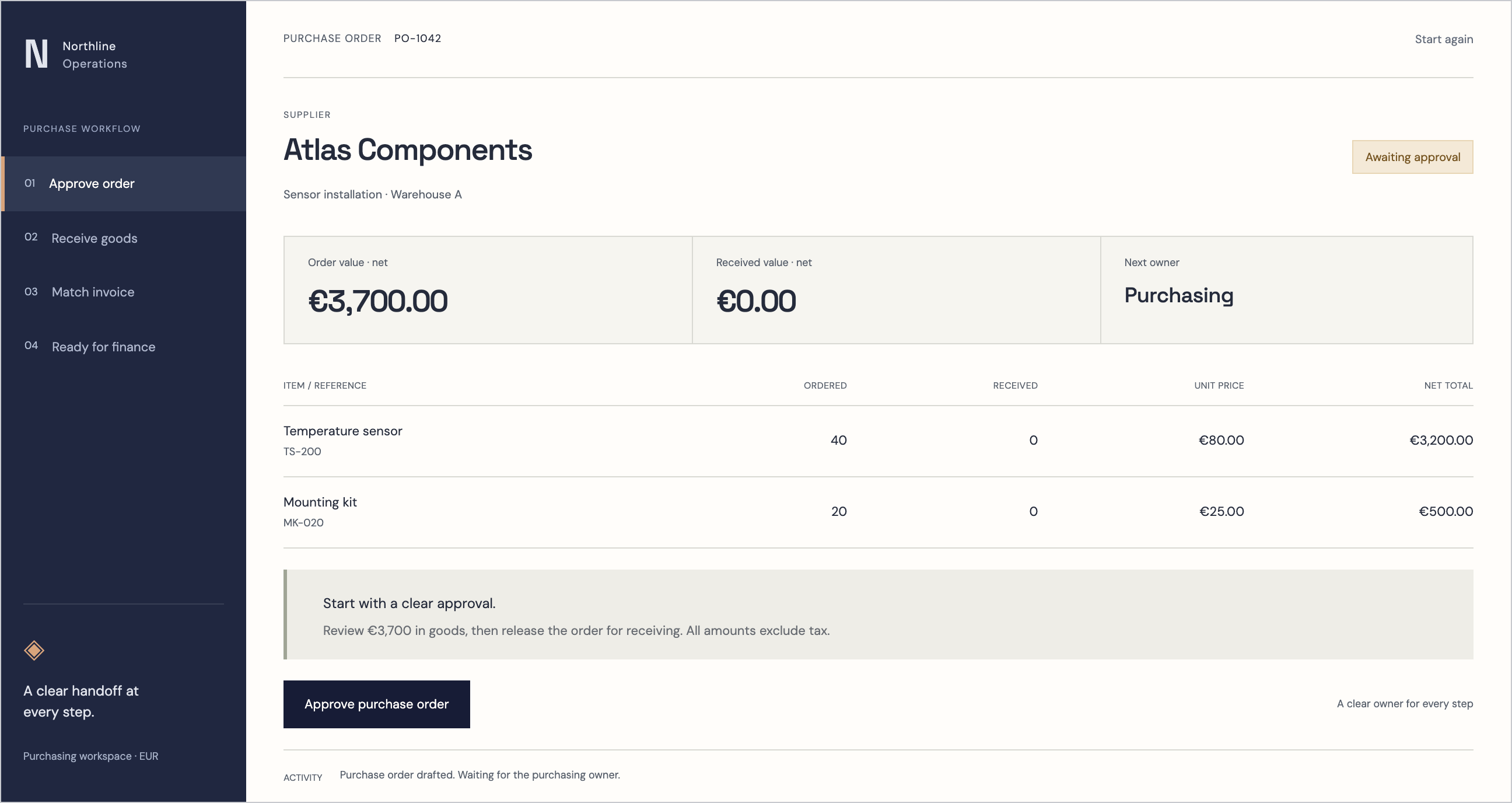
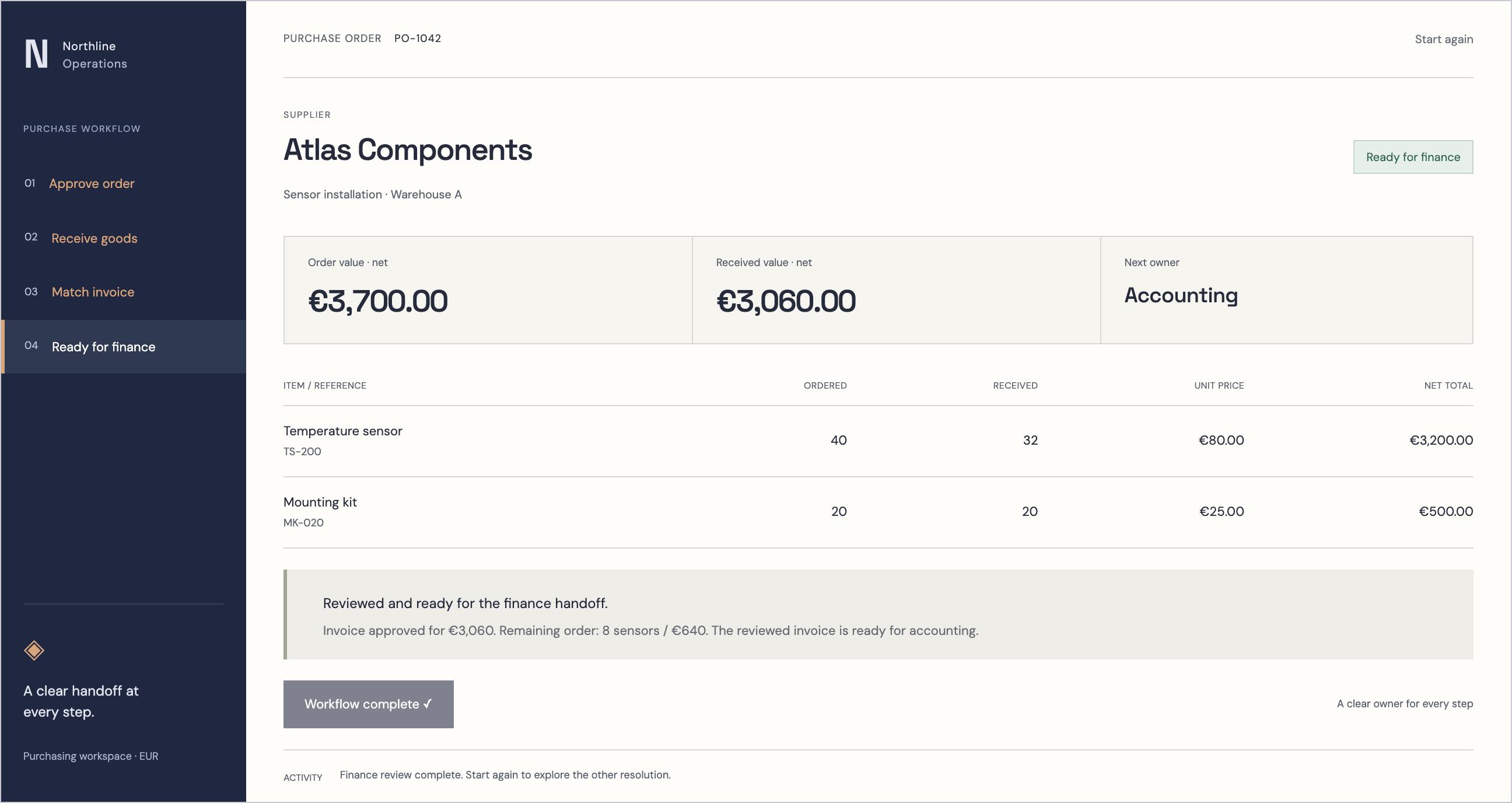
A single alert is usually handled on the spot. A pattern needs planned work. We set rules such as three warnings on the same asset within seven days, or a vibration trend crossing a planning limit, to open a maintenance work order in the RDCopilot ERP automatically. The order links to the asset record, carries the readings and chart that triggered it and is assigned to the maintenance team with a due date.
Each order is opened once, with a stable key, so a resent reading or a repeated alert adds to the existing order instead of creating a duplicate. The technician sees the order in the mobile app, even offline, completes the checklist, records the parts used and closes it. If the same condition comes back soon after closing, the order is reopened rather than starting a new history.
Connect the asset record and spare parts
The work order is only useful if the right part is on the shelf. Each asset in the ERP lists its critical spare parts, and those parts live in inventory with minimum stock levels. When a work order is planned, the required parts are reserved; when the reservation would take stock below the minimum, a reorder suggestion is raised for the buyer to approve. For temperature-sensitive goods, the same sensors that watch storage rooms record conditions against the stock lots in the warehouse, so the history of a lot includes the conditions it was kept in.
Nothing here depends on the sensor network. The ERP sees events and readings through the same integration layer that connects invoices, orders and accounting, with retries and monitoring included.
Close the loop in reports and training
Every month, the reports show alerts by asset and level, time to acknowledge, time to close, work orders opened from monitoring and their cost in parts and hours, next to the data completeness indicators. That is where a team sees whether rules are too noisy, which assets cause most work and whether condition-based maintenance is replacing emergency calls. The AI copilot can summarise the month’s alert history in plain language and point to the assets worth a closer look.
When a procedure changes because of what the data showed, a short module in eLearning can be assigned to the people concerned, and the completion record sits next to their HR profile.
- Owner, deputy and schedule for every device group
- Rules with duration, hysteresis, context and two levels
- Push card with value, level label, trend, duration and chart ranges
- Repeat-alert rules that open one ERP work order with a stable key
- Asset record with critical parts reserved from inventory
- Monthly report on alerts, response times, work orders and data completeness
How we deliver it
This workflow is part of the standard IoT monitoring service and uses RDCopilot products that already work together: ERP, inventory, warehouse, reports, the AI copilot, eLearning and a mobile companion app. We start with one area and a handful of assets, tune the rules with the team for a few weeks and then extend. A one-off implementation fee covers architecture, installation support and configuration. A monthly subscription covers EU hosting, updates, monitoring and support, and extra work is billed at a fixed hourly rate.
Inside the product
ERP
Follow the references
Sources & inspiration
Predictive Maintenance
Devpost project by Paurush Saxena, Jayakumar Sengodan
Sensor anomalies schedule maintenance and push warnings to staff.
This independently created project is credited as inspiration. The workflow and implementation guidance in this article are RDC’s analysis.
Put the guide to work
Start with your workflow.
Tell us what your team needs to do, which systems are involved and where the current process slows down.