PayrollHow-to guide
Handle a late payroll change without losing the approved version
A late attendance change can affect a payroll input set that has already been reviewed. The dangerous response is to edit the shared spreadsheet and assume everyone now sees the same version. The useful response is a visible change request linked to the approved package.
Preserve what was approved
Define the moment at which inputs become a released version. Record the approver, period, employer and destination. People may continue correcting source records, but those edits must not rewrite the historical package. The specialist needs to compare what was accepted with what is now being requested.
Capture the change as a decision
A change request should identify the employee, affected input, old value, proposed value and supporting reason. Include when the underlying event occurred and when the correction was received. These dates answer different questions and should remain separate.
Require enough evidence for a reviewer to understand the request without demanding unrelated personnel documents. The requester should explain the correction, while the payroll specialist determines its effect. The application can check that fields are present and references are valid; it should not decide employment entitlements from an informal message.
Show where the package has reached
A correction before release is different from one received after provider acknowledgment or final approval. Show the current processing stage prominently. If the external provider has already acted, the workflow should notify the designated contact and wait for the agreed response.
Avoid using a single reopen button that conceals these distinctions. Make available actions reflect the stage and permissions. A reviewer may accept the correction for further handling while the existing package remains preserved. Record the relationship between the change and any replacement or supplementary package.
Avoid conflicting corrections
Two managers can submit changes to the same period while a reviewer has an older view open. Compare the version on which each decision is based. If the underlying input changed, explain the conflict before accepting the second decision.
Keep rejected and withdrawn requests in the history with their reasons. They can explain why an apparent discrepancy was not applied. A request that is still pending must remain visible to whoever owns the monthly handoff. Silence should not be interpreted as either approval or rejection.
Restrict the correction trail
Correction reasons may reveal information that ordinary team members do not need. Give the requester access to their task and decision, and the specialist access to the supporting payroll context. Do not publish all reasons in a company-wide activity stream.
For external providers, decide which evidence must cross the boundary and which can remain with HR. Record access and export actions proportionately. Remove temporary access once the case is closed, while retaining the approved record according to the organization's applicable retention policy.
Test the version boundaries
Rehearse a change before release, after transmission and after provider acceptance. Include a duplicate request and two conflicting requests. Verify that each produces a comprehensible history and does not change an earlier package in place.
Measure how long requests wait for a decision, how often reviewers ask for more evidence and how many changes require a second provider handoff. Check whether a new colleague can reconstruct the sequence. This evaluates control over inputs; calculation accuracy still requires the payroll specialist's own validation.
Decide how a correction affects existing approvals
An input change does not necessarily invalidate every check in a package. Define the dependencies: which employee, category and period changed, and which approval relied on that information. A targeted review can preserve unrelated completed work while keeping the changed data under control.
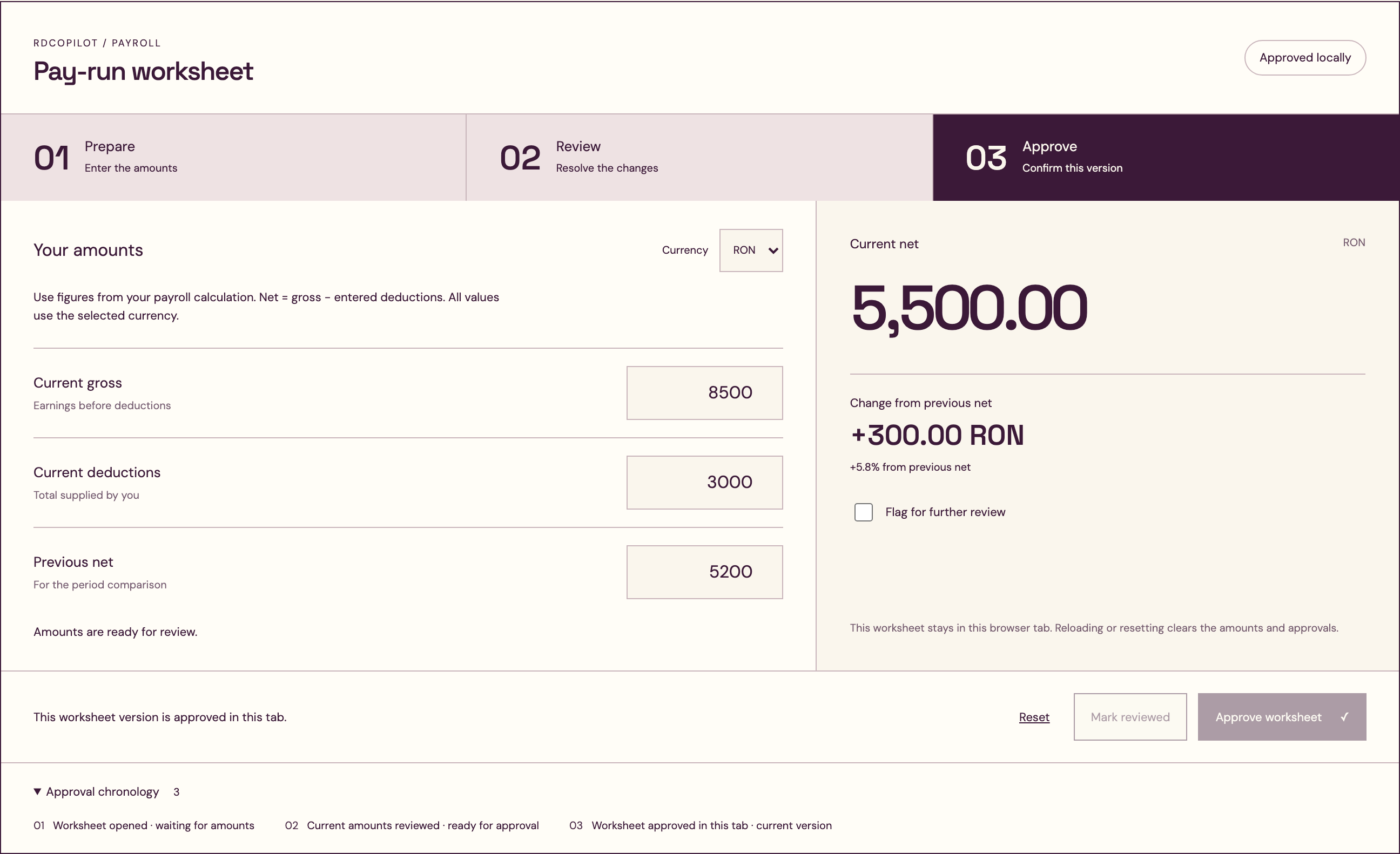
Show the reviewer the version they are approving. If another edit arrives while the screen is open, prevent a stale approval from silently applying to the new values. Explain the change and let the reviewer reload or compare the versions. This is especially important when several managers contribute to the same period.
The final handoff should include a concise change manifest listing affected records and the original package reference. The recipient must be able to determine whether it has already acted on the old version. During testing, ask the provider to walk through that manifest and explain the next operational step. Any ambiguity about replacement, supplementation or timing belongs in the agreed process before the feature is released.
- The request names the employee, category and period, with the previous value and supporting reason visible before any reviewer decision.
- A new source edit invalidates a stale screen approval instead of applying that approval automatically to values the reviewer has not seen.
- The change manifest identifies the earlier package and affected records so the provider can check whether processing has already occurred.
- The history preserves accepted, rejected and withdrawn requests, allowing a successor to understand why a correction was or was not applied.
Build a correction process people can follow
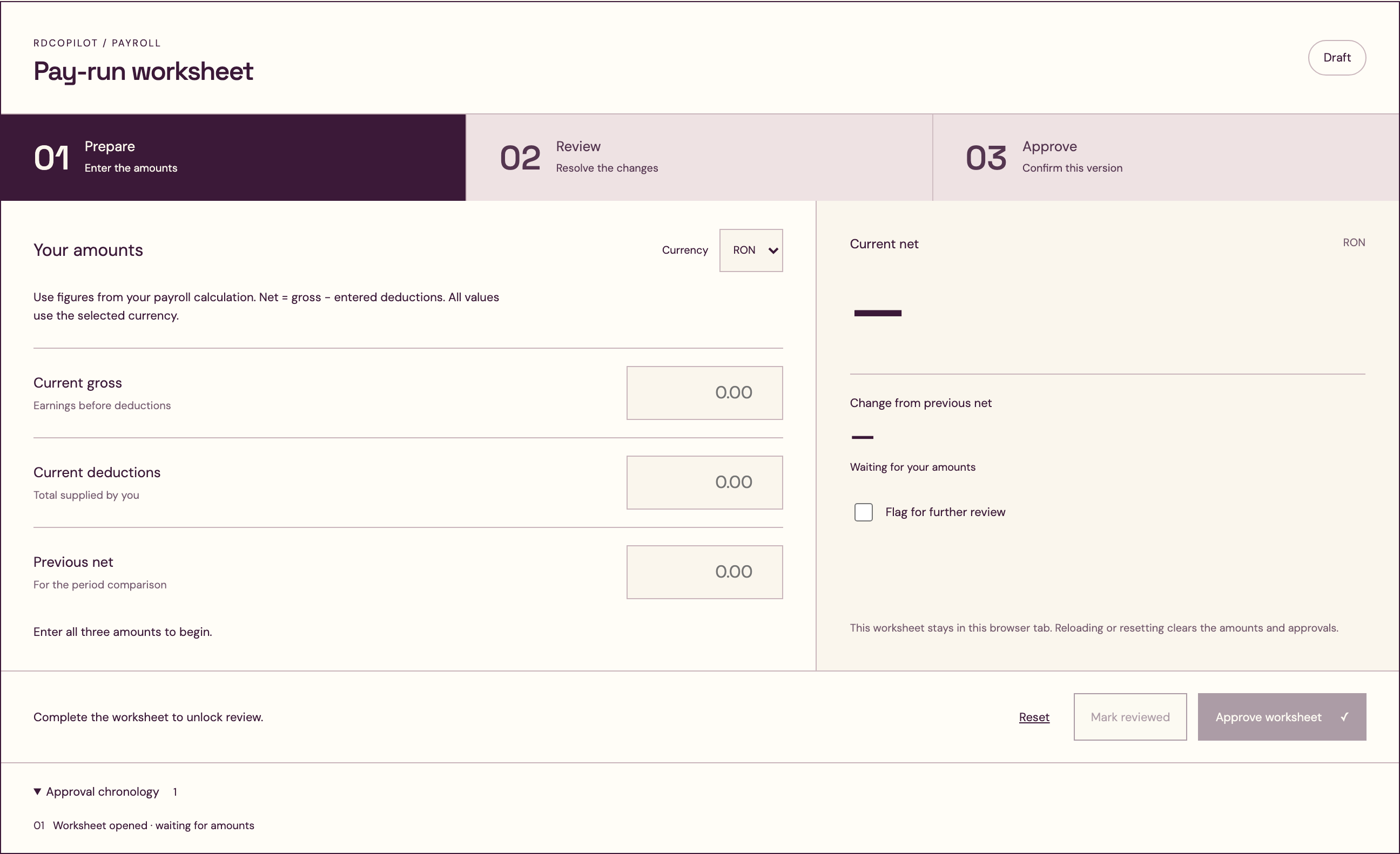
RDC can implement versioned input sets, correction requests, stage-aware actions and the agreed provider handoff. A focused implementation starts with one recurring correction type and the exact points at which approvals occur.
Bring a redacted history of how a late change currently moves between HR, managers and the provider. We can map the decisions, identify missing evidence and propose a workflow with clear acceptance checks. Your specialist retains authority over payroll treatment while everyone can see which version is approved and which change is still under review.
Inside the product
Payroll
Follow the references
Sources & inspiration
ADP Payroll Innovation Bot
Devpost project by Eric Liu, Jiaxing Yan, Fan Yang
Payroll questions with issue escalation.
This independently created project is credited as inspiration. The workflow and implementation guidance in this article are RDC’s analysis.
Put the guide to work
Start with your workflow.
Tell us what your team needs to do, which systems are involved and where the current process slows down.