ERPWorkflow
Matching an invoice when the supplier delivers only part of an order
A partial delivery should create a clear purchasing decision, with the order, receipt and invoice visible together. The useful automation is the connection between those records and the person authorised to resolve a difference. This guide explains how RDC can structure that workflow so a shortage does not disappear inside a spreadsheet or become an unexplained block for finance.
Separate the supplier’s claim from the goods received
Consider an illustrative order for 100 identical components. The warehouse receives 60, while the supplier sends an invoice for 100. Those three quantities describe different events: an agreement to purchase, a physical receipt and a request for payment. Preserve them independently. Changing the receipt to 100 merely to make the invoice match would remove the evidence the business needs.
The receiver should record the delivery reference, receipt date, item identity, quantity and condition. Finance attaches the invoice without treating its arrival as proof of delivery. Purchasing can then confirm whether the remaining 40 are expected later, cancelled or disputed. The workflow supports that decision; it does not choose a commercial or accounting treatment from the numbers alone.
Match individual lines using agreed units
A supplier may invoice boxes while the order uses individual components. Before comparing quantities, establish the conversion for the particular item and packaging version. Do not apply a general conversion inferred from a description. Keep both the supplier’s original quantity and the normalised quantity visible so a reviewer can explain the comparison.
Match lines using stable order and item references where possible. Similar descriptions can conceal different variants, and a supplier may split one order line across several deliveries. The matching record therefore needs links to multiple receipts, not simply one delivery number stored on the invoice header. Freight, discounts and service lines need their own agreed handling because they may not correspond to physical goods received at the dock.
Give each discrepancy a decision and an owner
Create a review item for the precise difference. A quantity shortage belongs first with the person who can check receipt and supplier expectations; a price change may belong with purchasing; an incorrect invoice reference may require supplier correction. A single generic blocked state gives no useful instruction to any of them.
Set out the decision choices and the evidence each requires. The person reviewing a difference should see previous conversations and know whether another reviewer is already working on it. If approval authority depends on value or business unit, use the company’s agreed rule and record the version applied.
- Confirm the physical quantity with the receiving record.
- Check whether another receipt belongs to the same order line.
- Ask purchasing to confirm the remaining delivery commitment.
- Record the supplier’s correction or agreed next action.
- Send finance the decision together with the original documents.
Handle later deliveries without rewriting the first receipt
When the remaining goods arrive, add a new receipt. The system can recalculate the unmatched quantity while preserving the earlier decision history. This matters if the second delivery is short again, arrives damaged or belongs to a different order. A reviewer must be able to reconstruct what was known when a previous approval was made.
A corrected invoice should also remain connected to the original submission. Decide with finance how replacement documents and credit documents enter the existing accounting process. An integration should not assume that a new file means a new liability, nor silently replace a document already used downstream. Use stable transaction references and display whether the accounting handoff has been requested, accepted or returned for correction.
Keep documents and access close to the workflow
Store the invoice, receipt evidence and approval history where the authorised teams can retrieve them together. The receiving employee may need delivery details without needing every financial field. Purchasing may need the supplier conversation, while finance needs the reviewed outcome. Build these views around real responsibilities and check exported files as well as on-screen permissions.
RDC can scope an EU-hosted document workflow or connect a deployment to company-managed storage. Review document retention, support access, backup recovery and the location of any extraction service used to read invoices. If AI assists with reading a document, retain the original page beside extracted fields and require review for uncertain matches. The arithmetic and approval rules should remain explicit and testable.
Test the exception queue, then measure its usefulness
Use a short set of representative cases: one full delivery, two partial deliveries, a damaged quantity, a duplicate invoice and a corrected price. Ask the warehouse, purchasing and finance teams to resolve each case using the proposed screen. A successful rehearsal leaves a clear explanation of the accepted quantity, remaining commitment, responsible person and next action.
Measure the age of unresolved differences, repeated document requests, corrections after handoff and cases returned by finance. Separate waiting for a supplier from waiting for an internal decision, because these need different interventions. Do not reward the team merely for closing more exceptions if the same problems reappear later. RDC can connect the order data, document review and accounting handoff, then help the team refine the workflow using its own operating evidence.
Inside the product
ERP
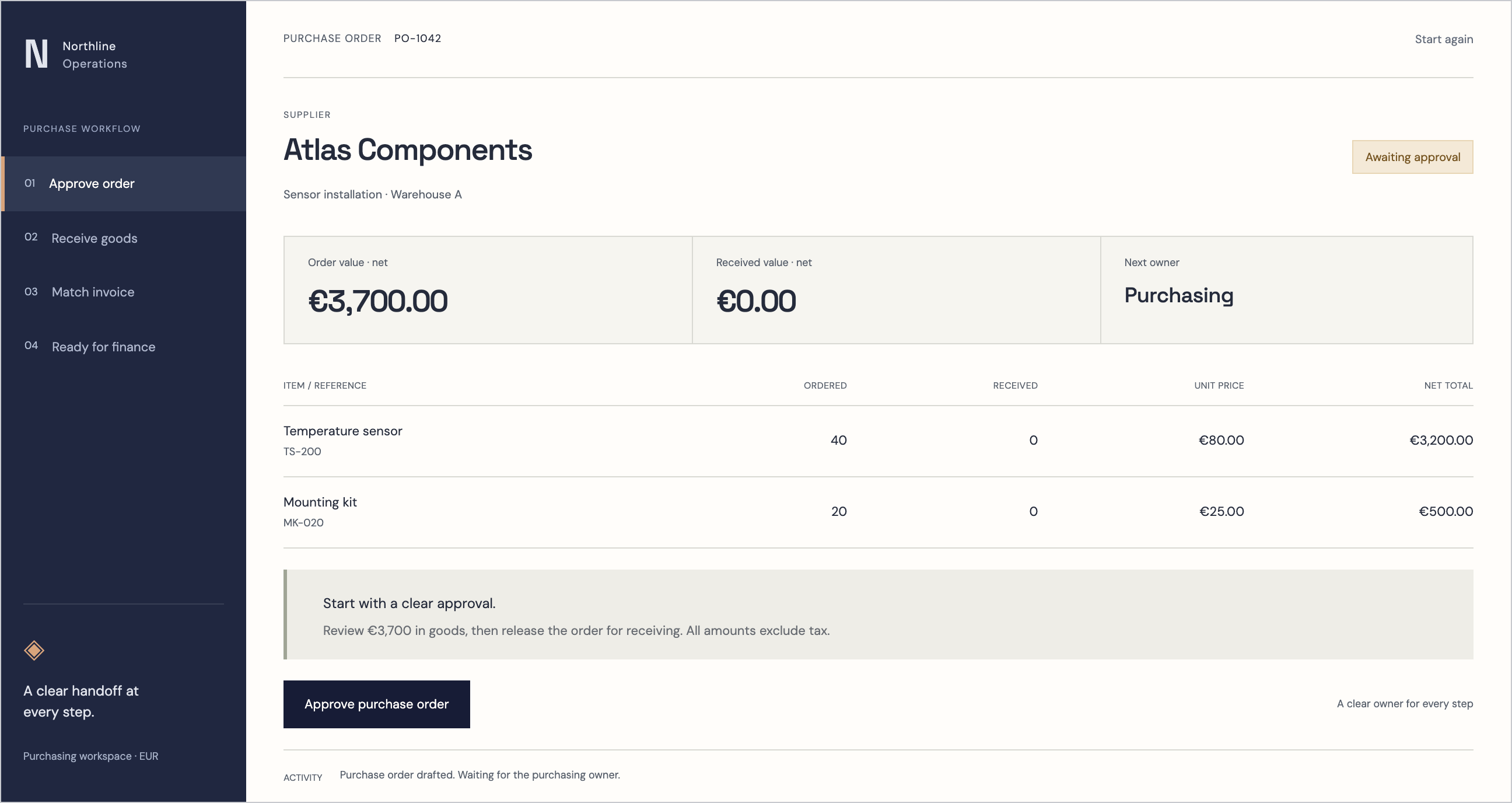
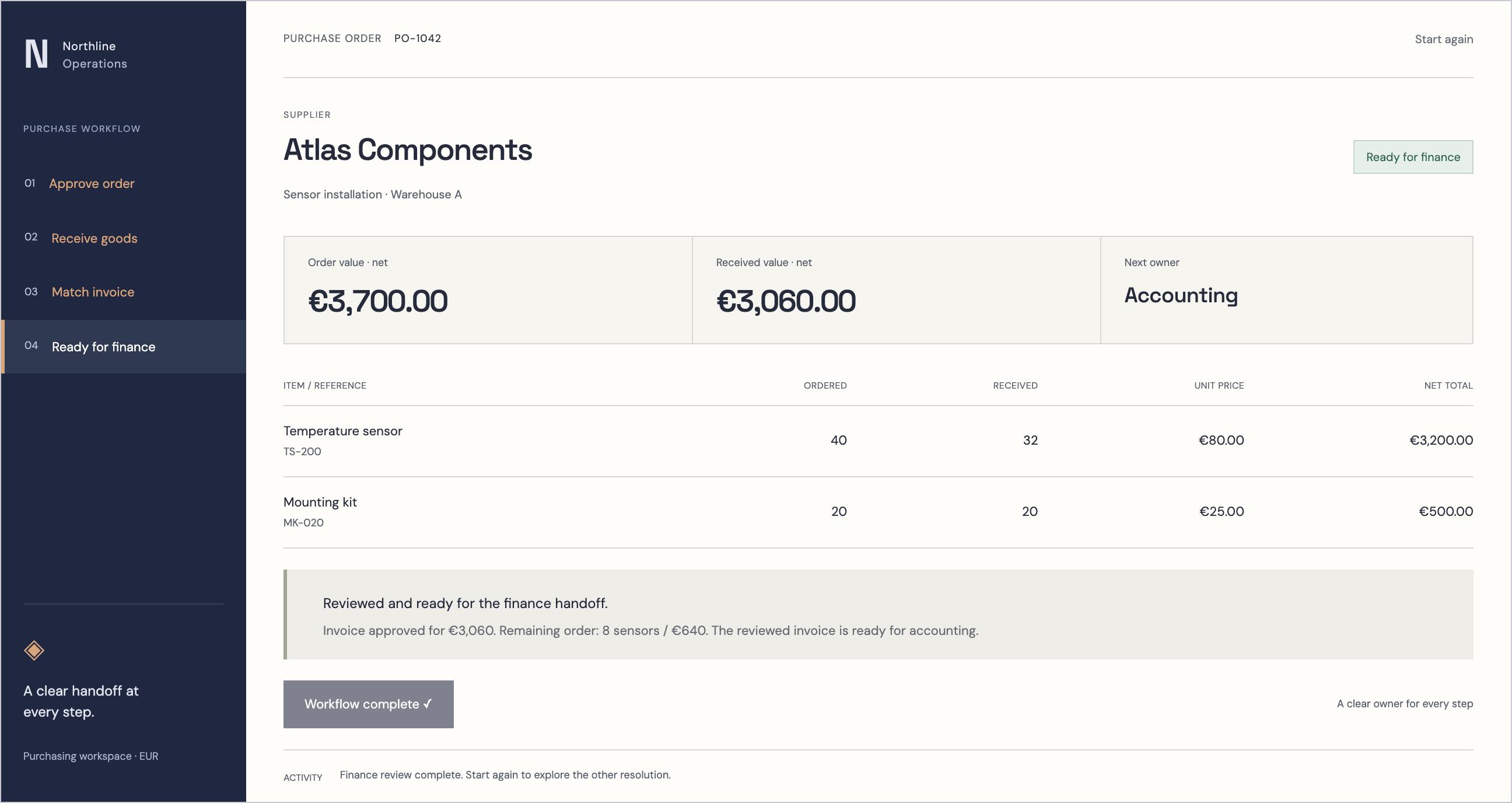
Follow the references
Sources & inspiration
AntWMS
Devpost project by Mohammad Rafaquat Alam
Independent inspiration for workflow design.
This independently created project is credited as inspiration. The workflow and implementation guidance in this article are RDC’s analysis.
Put the guide to work
Start with your workflow.
Tell us what your team needs to do, which systems are involved and where the current process slows down.