ERPHow-to guide
Start an ERP implementation with one order flow
An ERP implementation becomes easier to judge when you follow one order from the first promise to the final handoff. For a small business, that gives sales, operations and finance a shared way to assess the investment. Start with an order type that matters commercially and occurs often enough for the team to practise, then build the system around its decisions.
Choose an order that crosses departmental boundaries
Pick a recent, ordinary order with a quotation, an approval, goods or services to deliver, and information that finance needs. Invite the people who actually handle those steps. A manager can explain the policy, but the employee doing the work often knows where a spreadsheet, phone call or handwritten note carries an essential instruction.
Walk through the records in their original sequence. Write down what triggered each action, who performed it, what they checked and where the result went. Include a revised quotation or a delayed delivery if either is common. The first implementation should make a complete commercial journey understandable; it should not depend on every department changing everything at once.
Agree what each status means before choosing modules
A sales order marked approved may still lack a confirmed delivery date. A delivered order may still contain an unresolved shortage. Give each status a meaning that the next person can use, with a clear condition for entering and leaving it. An attractive dashboard cannot correct a status that different teams interpret differently.
Keep approval separate from fulfilment and accounting handoff. Record who may change the promised quantity or price after approval, and whether that change requires another review. This prevents the first ERP screen from becoming a digital version of the same ambiguous spreadsheet. Module selection then becomes a practical question: which capabilities support the agreed steps, and which existing system should continue handling specialist work?
Clean the small set of data that the order depends on
Begin with customer identifiers, delivery locations, product or service codes, units of measure and responsible people. A customer name is useful for reading, but a stable identifier is what connects the quotation to later records. If two records describe the same customer, resolve the relationship before importing open orders against both.
Use a short data readiness checklist during the workshop. Assign an owner to every unresolved item and keep a separate list of records that can wait until a later phase. Finance should approve the fields used for its handoff; the implementation team should not infer accounting treatment from a product description.
- One stable customer identifier connects quotation, order and delivery.
- Each order line has an agreed unit and an unambiguous item code.
- Delivery addresses are separate from billing details where necessary.
- Required approvals have named owners and delegated cover.
- Open discrepancies remain visible during import and operation.
Design the handoff people will actually receive
The warehouse needs quantities, locations and delivery instructions. Finance needs accepted commercial terms and evidence about fulfilment. Neither team benefits from receiving the entire history as an unstructured attachment. Define the fields and supporting records that make the next action possible, while retaining a link to the original order.
For each handoff, specify what happens if required information is missing. The receiving team should be able to reject or return a task with a reason rather than silently repair it. Keep the correction connected to the same order so sales can see why it stopped. If an integration repeats a request after a network interruption, its reference should identify the existing operation instead of producing a second order.
Scope hosting and operating responsibility together
A useful ERP proposal includes deployment and daily ownership. RDC can assess an EU-hosted arrangement or a system within your own infrastructure, depending on the software, integrations and operational requirements. Compare who maintains the application, who monitors imports, how backups are restored and how support staff receive access. A server location alone does not answer those questions.
Ask for a map of connections to email, accounting, identity and document storage. Agree which data each connection receives and how a failed connection is surfaced to the operator. Include licence costs, update responsibilities and the ability to export business records when comparing options. This is particularly important when an apparently small custom workflow depends on several separately licensed systems.
Measure the first flow before expanding it
Choose measures that reveal where work waits: time until an order has an owner, unresolved handoffs, repeated entry and corrections after approval. Record the starting situation from actual orders and use the same definitions during the pilot. Treat changes in order mix or staffing as context when interpreting the results.
Rehearse a normal order, a changed order, a partial delivery and a cancelled order with the people who will operate the system. Ask each participant to find the supporting evidence and explain the next action without help from the developer. Expand only when the team can use and recover the first flow reliably. Bring RDC those order records, the current software list and the approval rules; we can turn them into a scoped implementation with clear acceptance criteria.
Inside the product
ERP
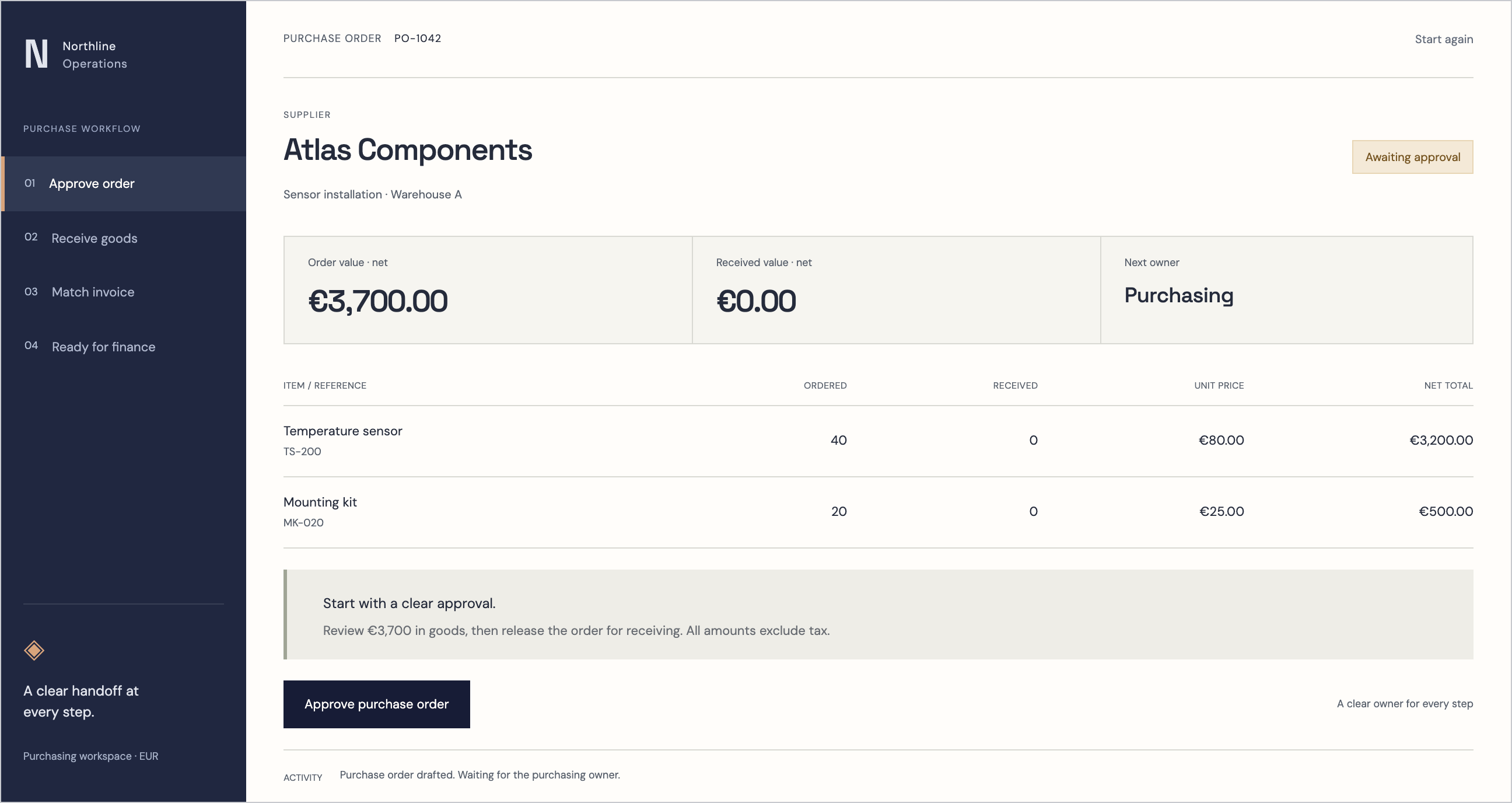
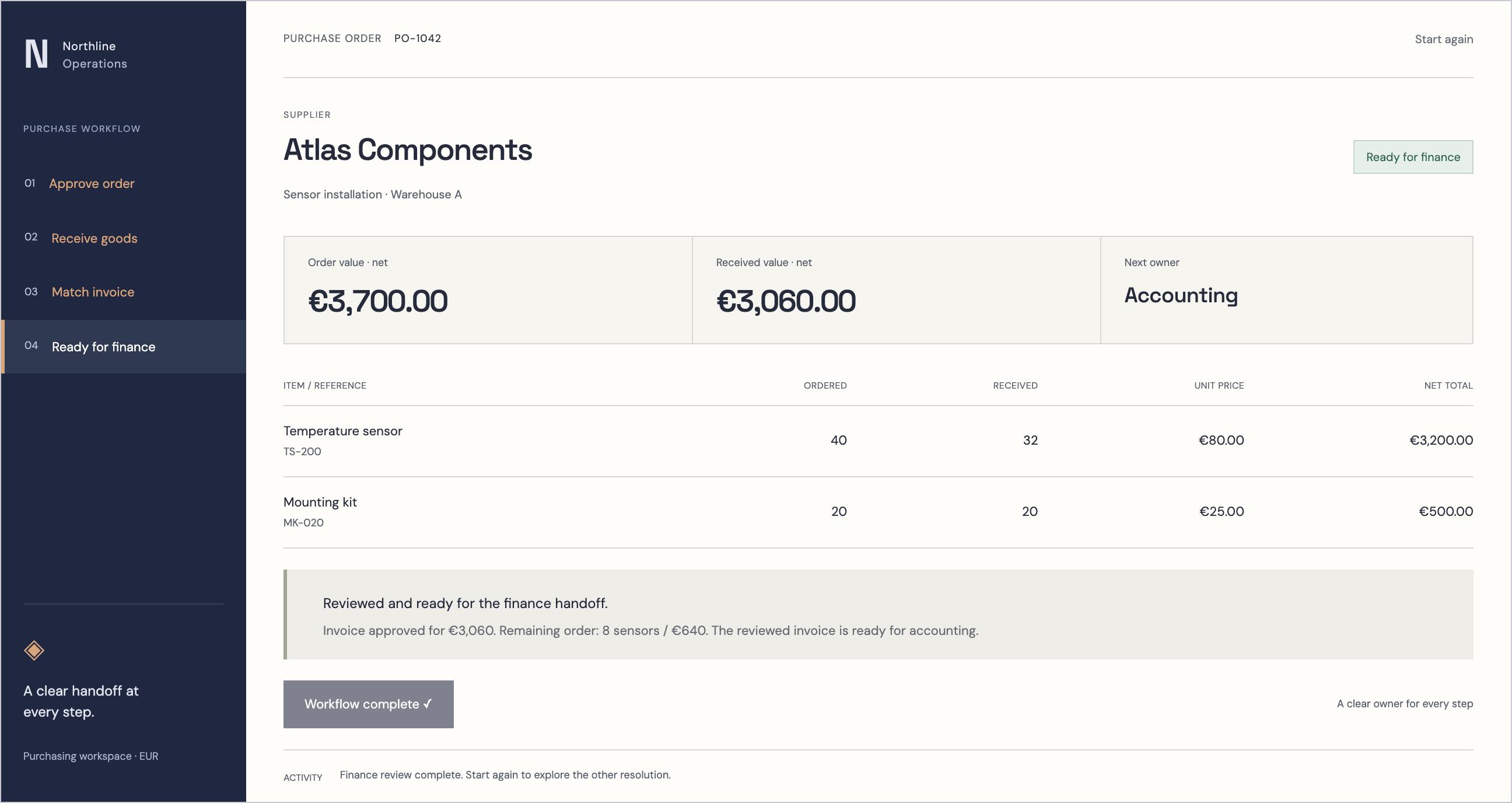
Follow the references
Sources & inspiration
InvoiceFlow AI
Devpost project by Coolieo Bowley
Independent inspiration for workflow design.
This independently created project is credited as inspiration. The workflow and implementation guidance in this article are RDC’s analysis.
Put the guide to work
Start with your workflow.
Tell us what your team needs to do, which systems are involved and where the current process slows down.