AccountingHow-to guide
Trace an accounting entry back to the source document
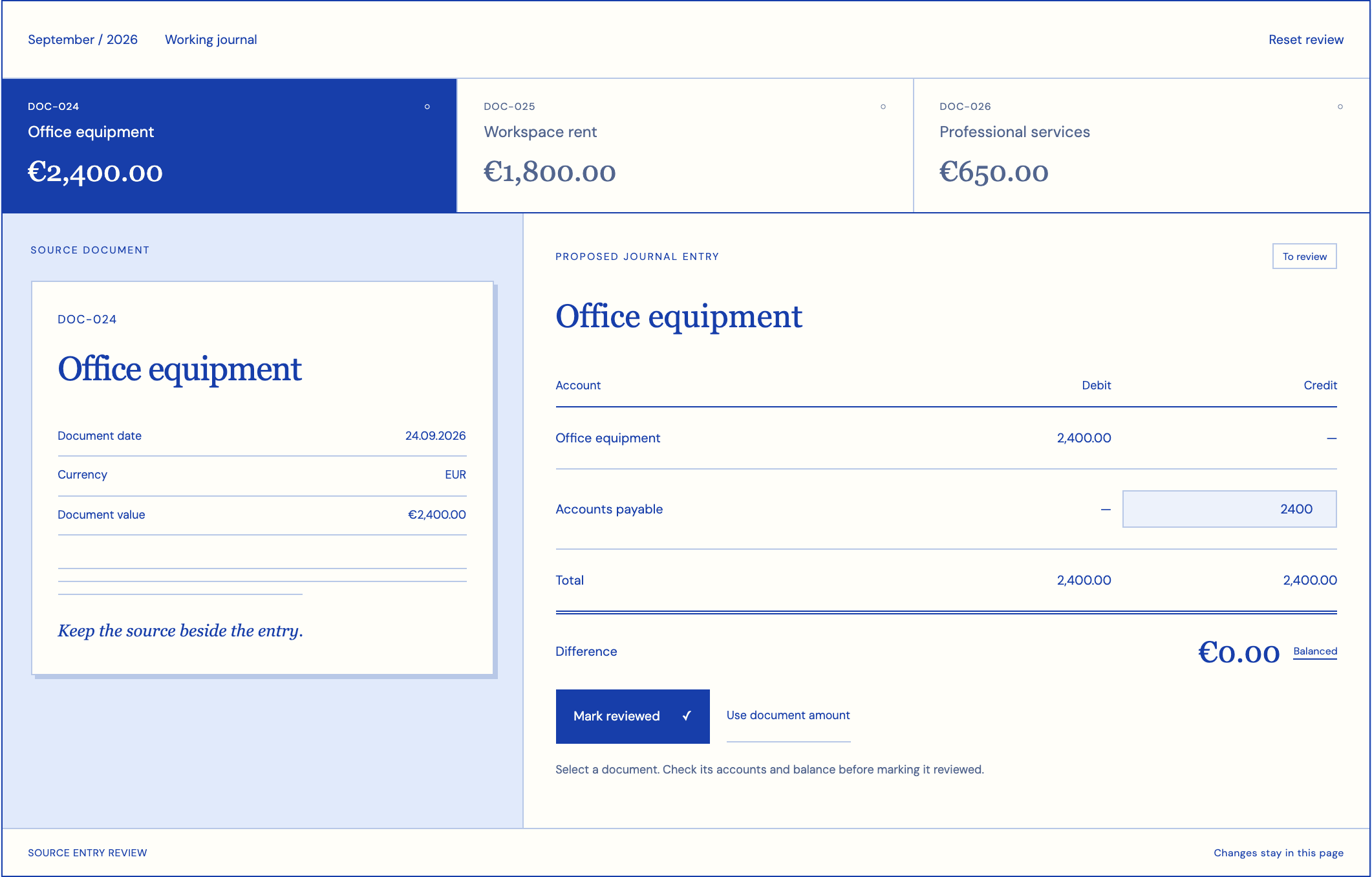
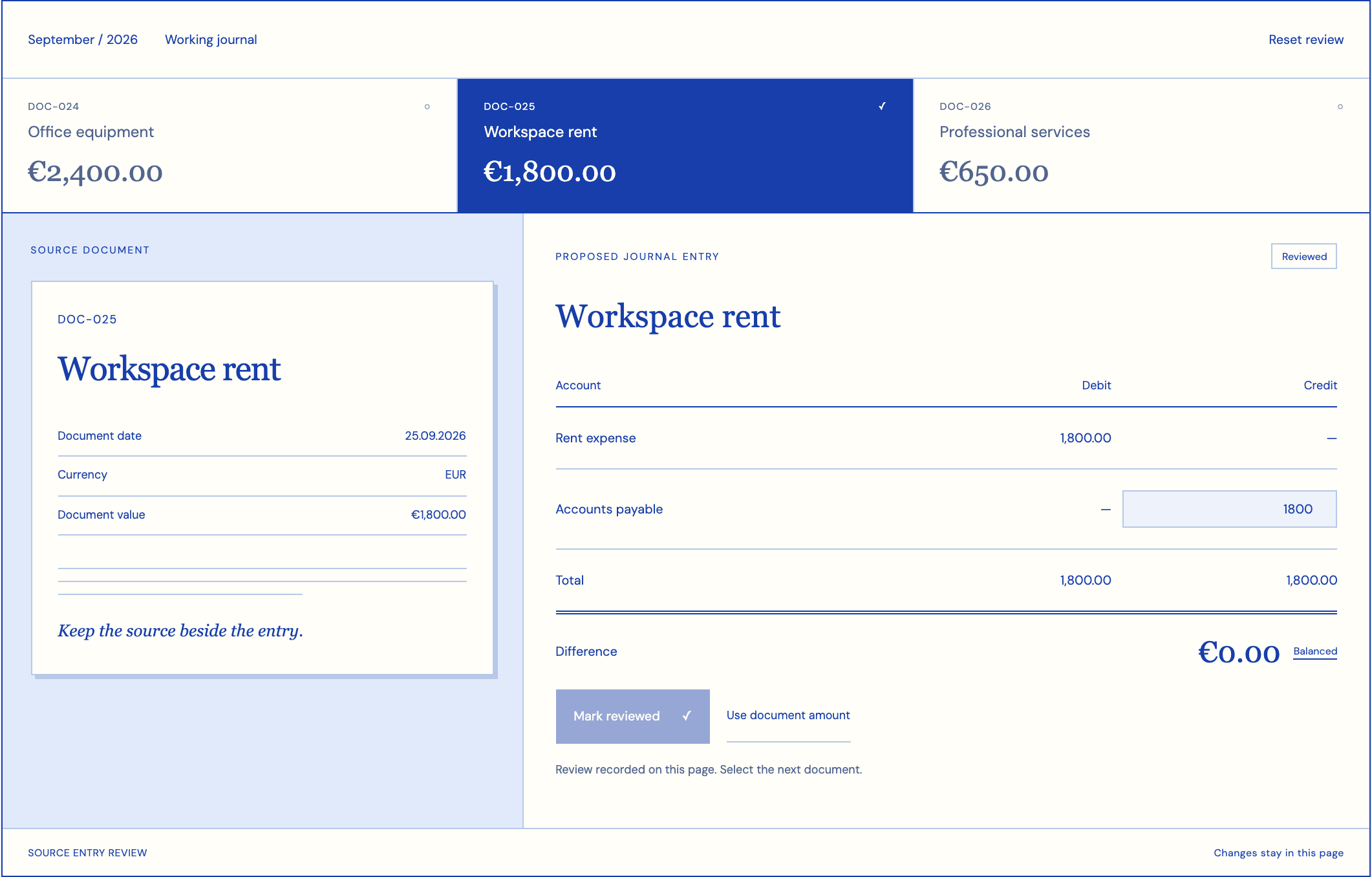
An accounting entry is easier to review when its source is one click away. If a colleague must search an inbox, ask who approved a value and compare several attachments, the missing feature is a dependable link between the document and the decision.
Begin with the accountant's question
Start with a question such as: which document supports this rent entry, which version was used, and who checked the amount? The answer needs more than a filename. A supplier can resend a corrected PDF under the same name, while an attachment can contain several invoices. Give the document, its version and each business record distinct identities. Keep their relationships visible to someone who did not process the original transaction.
Preserve the original and the interpreted values
A useful intake record keeps the original file, arrival time, channel and submitting party. Extracted invoice numbers, dates and amounts belong beside that record. A correction to an extracted value should preserve both the earlier value and the reviewer’s replacement. Otherwise a later investigation cannot distinguish a recognition error from a supplier correction.
Page references help with long files. Selecting a field should open the page and relevant region rather than the beginning of a large attachment. If an invoice spans multiple pages, maintain the connection between its header and lines. The interface should make it possible to inspect the original without downloading an uncontrolled copy to every laptop.
Connect approval to the destination record
The workflow can move through received, extracted, awaiting review, approved and recorded states. Define each state around an observable event. Approved means the designated reviewer accepted the proposed record; recorded means the destination system acknowledged the write and returned a reference. These events may occur at different times.
Store that destination reference alongside the approved input version. When the accounting system rejects a write, retain the approval and show the rejection as a separate problem. Repeating extraction would create unnecessary work. A connector should resume from the failed handoff after the responsible person resolves the cause, without silently generating another accounting entry.
Make corrections explainable
Consider an invoice whose rent period is clear but whose scanned amount is ambiguous. The reviewer needs the page, the proposed amount and an explanation of why the field needs attention. A numerical confidence value alone does not tell the accountant what to check. Highlighting the uncertain characters or an inconsistent total is more useful.
A corrected supplier document is a different situation. Link it to the previous version and show which fields changed. The accountant decides how the change affects an existing entry. The software preserves that decision and any new reference. It should never overwrite a posted record merely because a newer attachment arrived with a similar invoice number.
Control document access and retention
Accounting attachments can contain personal details, signatures or bank information. Decide who needs the full file and who needs only the approved business values. A purchasing colleague may need a receipt reference without access to unrelated payroll attachments. Apply the same boundary to search, previews and exports.
Agree retention and deletion rules with the people responsible for accounting records and data protection. Keep technical logs useful without copying complete documents into them. For hosted processing, establish where files and extracted values go, which providers handle them, and how access is removed when an employee or service provider changes role.
Measure whether evidence is actually reachable
Test traceability in both directions: from an entry to its document, and from a document to every resulting record. Include corrected files, unreadable scans, rejected writes and documents with several entries. Ask someone outside the original processing team to reconstruct a decision using only the stored evidence.
Measure the time needed to find the supporting page, broken source links, fields corrected during review and duplicate destination records. Google’s Document AI evaluation guidance distinguishes field-level precision and recall; these help assess extraction, while your traceability test assesses the complete workflow. A high extraction score cannot compensate for a source link that no longer opens.
Decide what a source link must survive
A source link should keep working when the file is moved into long-term storage or the original uploader leaves. Prefer a stable document reference resolved by the application over a personal folder path. Decide how the system displays a retained entry when the underlying source has legitimately reached the end of its retention period. That condition needs an explanation, not a broken page.
Also test one document supporting several entries. The reviewer should see the complete set and the relationship of each entry to the relevant document portion. Conversely, an entry supported by an invoice and a separate approval needs both links. Designing only a one-file-to-one-entry relationship can force staff to combine unrelated material into an attachment that is difficult to maintain.
For handover, prepare a small reconstruction exercise: choose an entry, find its approved fields, open the original page and identify the destination acknowledgment. Ask the reviewer to note any information they still need from a colleague. Those missing answers become concrete implementation requirements. The exercise tests the usefulness of the evidence structure without depending on a particular extraction engine.
- Can the reviewer open the supporting page using a stable reference after the file has moved to the agreed archive?
- Does a corrected supplier document preserve the earlier version and the accounting decision made from that version?
- Can the destination entry identify the exact approved values, rather than a live view that has changed since posting?
- Does the evidence remain accessible to a successor when the original preparer no longer has an active account?
Scope a practical implementation
RDC can build the intake, review screen and accounting handoff around one document type first. Bring redacted examples, the current accounting export or interface, and the questions reviewers routinely ask. We agree the document identity, required fields, approval boundary and evidence expected after a successful write.
The proposal can then specify supported formats, destination integration, access roles and acceptance checks. Your accountant retains responsibility for accounting treatment. The engineering work makes the supporting material, chosen values and approved action easier to follow. Expansion to other document families should follow the same evidence test rather than an assumption that every attachment behaves alike.
Inside the product
Accounting
Follow the references
Sources & inspiration
ShipSense AI: Invoice Processing Agent for Enterprise
Devpost project by KP Kshitij Parashar
Invoice intake with uncertainty flags.
This independently created project is credited as inspiration. The workflow and implementation guidance in this article are RDC’s analysis.
Put the guide to work
Start with your workflow.
Tell us what your team needs to do, which systems are involved and where the current process slows down.